

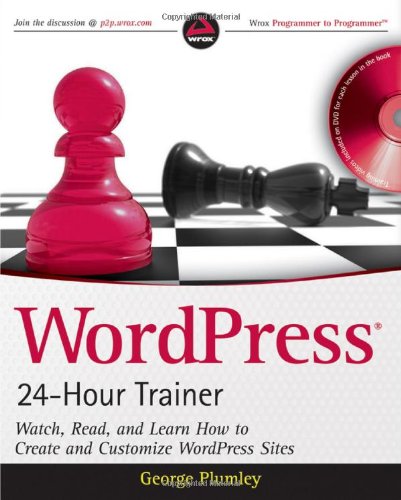
WordPress 24 Hour Trainer Watch Read and Learn How to Create and Customize WordPress Sites 1st Edition by George Plumley ISBN 0470554584 9780470554586

Original price was: $50.00.$35.00Current price is: $35.00.
WordPress 24 Hour Trainer Watch Read and Learn How to Create and Customize WordPress Sites 1st Edition by George Plumley – Ebook PDF Instant Download/Delivery: 0470554584, 9780470554586
Full download WordPress 24 Hour Trainer Watch Read and Learn How to Create and Customize WordPress Sites 1st Edition after payment
Product details:
ISBN 10: 0470554584
ISBN 13: 9780470554586
Author: George Plumley
WordPress 24 Hour Trainer Watch Read and Learn How to Create and Customize WordPress Sites 1st Table of contents:
Section I – Before You Start
-
Lesson 1: Thinking Like WordPress
-
Lesson 2: Planning Your Site for WordPress
Section II – Firing Up WordPress
-
Lesson 3: Installing WordPress
-
Lesson 4: Admin Area Overview
-
Lesson 5: Basic Admin Settings
Section III – Working with Written Content
-
Lesson 6: Adding a New Post: An Overview
-
Lesson 7: Working with Text in the Content Editor
-
Lesson 8: Basic Post Screen Functions
-
Lesson 9: Advanced Post Functions
-
Lesson 10: Adding a New Page
Section IV – Working with Media Content
-
Lesson 11: The Basics of Adding Media Files
-
Lesson 12: The Media Uploader Window
-
Lesson 13: Working with Images in the Content Editor
-
Lesson 14: Using the WordPress Image Editor
-
Lesson 15: Working with WordPress Image Galleries
-
Lesson 16: Adding Video and Audio
-
Lesson 17: Adding Documents
Section V – Managing Your Content
-
Lesson 18: Managing Posts and Pages
-
Lesson 19: Managing Media Files
-
Lesson 20: Managing Post Categories and Tags
-
Lesson 21: Managing Widgets and Menus
Section VI – Making Your Site Social
-
Lesson 22: Connecting to Social Media
-
Lesson 23: Managing Comments
-
Lesson 24: Bringing in Content from Other Sites
-
Lesson 25: Connecting by E‑mail
-
Lesson 26: Managing Multiple Site Users
Section VII – Choosing and Customizing Themes
-
Lesson 27: Overview of WordPress Themes
-
Lesson 28: Theme Installation and Basic Customization
-
Lesson 29: Advanced Design Customization
Section VIII – Becoming Search Engine Friendly
-
Lesson 30: Optimizing Your Content
-
Lesson 31: Optimizing Behind the Scenes
Section IX – Maintenance and Security
-
Lesson 32: Keeping Up to Date
-
Lesson 33: Keeping Backups
-
Lesson 34: Keeping Your Site Secure
Section X – Adding Functionality Using Plugins
-
Lesson 35: Installing and Activating Plugins
-
Lesson 36: More Plugin Suggestions
Section XI – References
Appendix: Troubleshooting WordPress
Appendix B: Glossary
People also search for WordPress 24 Hour Trainer Watch Read and Learn How to Create and Customize WordPress Sites 1st:
wordpress 24/7 support
wordpress 1 hour
24 hour trainer prices
workout 24/7 app
on24 wordpress