

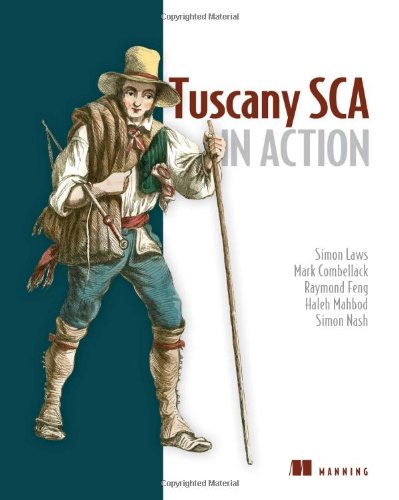
Tuscany SCA in Action 1st Edition by Simon Laws, Mark Combellack , Raymond Feng , Haleh Mahbod , Simon Nash ISBN 1933988894 978-1933988894

Original price was: $50.00.$35.00Current price is: $35.00.
Tuscany SCA in Action 1st Edition by Simon Laws, Mark Combellack , Raymond Feng , Haleh Mahbod , Simon Nash- Ebook PDF Instant Download/Delivery:1933988894 ,978-1933988894
Full download Tuscany SCA in Action 1st Edition after payment
Product details:
ISBN 10: 1933988894
ISBN 13: 978-1933988894
Author: Simon Laws, Mark Combellack , Raymond Feng , Haleh Mahbod , Simon Nash
Apache Tuscany is a free, open source project that helps users develop Service Oriented Architecture (SOA) solutions. It provides a lightweight infrastructure that implements Service Component Architecture (SCA) and provides seamless integration with other technologies.
Tuscany in Action is a comprehensive, hands-on guide for developing enterprise applications using Apache Tuscany’s lightweight SCA infrastructure. The book uses practical examples to demonstrate how to develop applications with the open source Tuscany SCA. Readers will learn how to model, compose, and manage applications. Detailed explanations of how to use the various features of Apache Tuscany for protocol handling and developing components are presented. Readers will also learn how to extend Apache Tuscany to support new programming environments and communication protocols.
Purchase of the print book comes with an offer of a free PDF, ePub, and Kindle eBook from Manning. Also available is all code from the book.
Table of contents:
1. Understanding Tuscany and SCA
Chapter 1. Introducing Tuscany and SCA
1.1. The big picture
1.1.1. The basics of SCA
1.1.2. Tuscany’s Java runtime for SCA
1.2. Designing a sample composite application
1.2.1. The travel-booking application
1.2.2. SCA components, services, and references
1.2.3. A user scenario demonstrating service interactions
1.3. Implementing a composite application
1.3.1. A jump-start to building and running your first SCA component
1.3.2. Defining more complex components
1.3.3. Creating component implementations
1.3.4. Wiring components to form a composite application
1.3.5. Deploying a composite application using contributions
1.4. Working with other SOA technologies
1.4.1. API wrapping
1.4.2. Using SCA implementations
1.4.3. Using SCA remote bindings
1.4.4. Tuscany and an Enterprise Service Bus
1.5. Summary
Chapter 2. Using SCA components
2.1. Implementing an SCA component
2.1.1. Choosing an implementation type
2.1.2. Configuring SCA components using component definitions
2.1.3. Discovering or defining the component type
2.2. Using components to provide services
2.2.1. Defining services
2.2.2. Interface definition in SCA
2.2.3. Configuring services in component definitions
2.2.4. Local and remotable interfaces
2.2.5. Bidirectional interfaces and callbacks
2.2.6. Conversational interfaces
2.3. Connecting components using references and wires
2.3.1. Defining references
2.3.2. Wiring references to services
2.3.3. Wire elements
2.3.4. Automatic wiring
2.3.5. Reference multiplicity
2.3.6. Wiring with different multiplicities
2.4. Configuring components using properties
2.4.1. Defining properties
2.4.2. Configuring values for properties
2.4.3. Using complex types for properties
2.5. Enabling communication flexibility using bindings
2.5.1. Configuring bindings for services and references
2.5.2. The default binding
2.5.3. Domains, bindings, and wiring
2.6. Summary
Chapter 3. SCA composite applications
3.1. Running a composite application in a single process
3.1.1. Preparing the contributions
3.1.2. Writing the launcher
3.1.3. Running the launcher
3.2. Understanding the SCA domain
3.2.1. The domain as a contribution repository
3.2.2. The domain as a naming and visibility boundary
3.2.3. The domain as an execution environment
3.2.4. Using a single execution node with a local domain
3.2.5. Distributed execution within a domain
3.3. Running a distributed composite application
3.3.1. Creating an SCA domain
3.3.2. Installing contributions into the domain
3.3.3. Deploying composites for execution
3.3.4. Assigning composites to execution nodes
3.3.5. Creating and starting execution nodes
3.3.6. Running the domain manager from a saved configuration
3.4. Using SCA composites as application building blocks
3.4.1. Different ways of using SCA composites
3.4.2. Using composites as component implementations
3.4.3. Including composites in other composites
3.4.4. Composite reuse in action
3.5. Summary
2. Using Tuscany
Chapter 4. Service interaction patterns
4.1. Understanding the range of SCA service interaction patterns
4.2. Remote interaction
4.2.1. Configuring remote interaction
4.2.2. Exploiting remote interaction
4.3. Local interaction
4.3.1. Configuring local interaction
4.3.2. Exploiting local interaction
4.4. Request response interaction
4.4.1. Configuring request response interaction
4.4.2. Exploiting request response interaction
4.5. One-way interaction
4.5.1. Configuring one-way interaction
4.5.2. Exploiting one-way interaction
4.6. Callback interaction
4.6.1. Configuring callback interaction
4.6.2. Exploiting callback interaction
4.7. Conversational interaction
4.7.1. Configuring conversational interaction
4.7.2. Exploiting conversational interaction
4.8. Summary
Chapter 5. Implementing components using the Java language
5.1. Defining a Java component implementation
5.2. Using SCA annotations in Java implementations
5.3. Services and references with Java interfaces
5.3.1. Identifying local and remote services
5.3.2. Implicit and explicit definition of component interfaces
5.3.3. Interface compatibility and mapping
5.3.4. Transforming messages between interfaces
5.3.5. Pass-by-reference and pass-by-value
5.4. Java component services
5.4.1. The @Service annotation
5.4.2. Alternatives to the @Service annotation
5.5. Java component references
5.5.1. The @Reference annotation and reference injection
5.5.2. Reference naming
5.5.3. Reference multiplicity
5.6. Java component properties
5.6.1. The @Property annotation and property injection
5.6.2. Property naming
5.6.3. Property types
5.6.4. Property value multiplicity
5.7. Java component instance creation and scope
5.7.1. Stateless, composite, and conversational scopes
5.7.2. Interacting with component instance creation and destruction
5.8. Making callbacks
5.8.1. The credit card security callback scenario
5.8.2. Creating a bidirectional interface with the @Callback annotation
5.8.3. The service programming model for callbacks
5.8.4. The client programming model for callbacks
5.8.5. Getting the callback proxy from the request context
5.8.6. Using callable references to provide callback flexibility
5.8.7. Using a callback ID to identify a specific callback
5.8.8. Redirecting the callback to another service
5.9. Holding conversations
5.9.1. Defining and controlling conversations in Java implementations
5.9.2. Starting, using, and stopping conversations using annotations
5.9.3. Controlling conversations using the SCA Java API
5.10. Passing SCA service references
5.10.1. A service reference–passing scenario
5.10.2. Retrieving service references
5.10.3. Passing a service reference to another component
5.10.4. Making a call via a service reference
5.11. Handling errors
5.11.1. Business exceptions
5.11.2. SCA runtime exceptions
5.12. Summary
Chapter 6. Implementing components using other technologies
6.1. Implementing components using Spring
6.1.1. Using Spring services and references without SCA tags
6.1.2. Using Spring services and references with SCA tags
6.1.3. Setting Spring properties
6.1.4. Using other SCA Java annotations
6.1.5. Finding the Spring application context
6.2. Implementing components using BPEL
6.2.1. The structure of a BPEL process document
6.2.2. BPEL in Tuscany and SCA
6.2.3. Mapping WS-BPEL partner links to SCA services
6.2.4. Mapping WS-BPEL partner links to SCA references
6.2.5. Handling errors
6.2.6. Limitations of implementation.bpel in Tuscany 1.x
6.3. Implementing components using scripts
6.3.1. BSF-based script implementations in Tuscany and SCA
6.3.2. Defining interfaces for script-based SCA services and references
6.3.3. Mapping between SCA services and scripts
6.3.4. Mapping between SCA references and scripts
6.3.5. Mapping between SCA properties and scripts
6.3.6. Handling errors
6.4. Summary
Chapter 7. Connecting components using bindings
7.1. Introduction to SCA bindings
7.1.1. Using SCA bindings on an SCA service
7.1.2. Using SCA bindings on an SCA reference
7.2. Demonstrating SCA bindings
7.2.1. Overview of the currency converter
7.2.2. Overview of the Notification service
7.3. Connecting component services with binding.sca
7.4. Connecting component services with web services
7.4.1. Exposing an SCA service as a web service
7.4.2. Accessing a web service using the SCA Web Services binding
7.4.3. Configuration options for the SCA Web Services binding
7.5. Connecting component services with CORBA
7.5.1. Exposing an SCA service as a CORBA service
7.5.2. Accessing a CORBA service using the SCA CORBA binding
7.5.3. Configuration options for the SCA CORBA binding
7.6. Connecting component services with RMI
7.6.1. Exposing an SCA service as an RMI service
7.6.2. Accessing an RMI service using the SCA RMI binding
7.6.3. Configuration options for the SCA RMI binding
7.7. Connecting component services with JMS
7.7.1. Exposing an SCA service using JMS
7.7.2. Accessing a JMS service using the SCA JMS service binding
7.7.3. Configuration options for the SCA JMS binding
7.8. Connecting to EJBs
7.8.1. Exposing an SCA service as an EJB
7.8.2. Accessing an EJB using the SCA EJB binding
7.8.3. Configuration options for the SCA EJB binding
7.9. Summary
Chapter 8. Web clients and Web 2.0
8.1. Servlets as SCA component implementations
8.1.1. Creating the currency converter user interface using a servlet
8.2. Writing web component implementations using JSPs
8.2.1. Exposing the currency converter using a JSP
8.3. HTML pages as SCA component implementations
8.3.1. Using an HTML page for the TuscanySCATours user interface
8.4. Exposing file system resources
8.4.1. Exposing the TuscanySCATours help pages
8.5. Exposing component services as Atom and RSS feeds
8.5.1. Exposing the TuscanySCATours blog as an Atom feed
8.5.2. Extending the TuscanySCATours blog with an RSS feed
8.6. Referencing Atom and RSS feeds
8.6.1. Logging the TuscanySCATours blog Atom feed
8.6.2. Logging the TuscanySCATours blog RSS feed
8.7. Summary
Chapter 9. Data representation and transformation
9.1. Data exchange between SCA components
9.1.1. Using WSDL to describe the CreditCardPayment interface
9.1.2. Using WSDL in an SCA composite
9.2. Representing data within component implementations
9.2.1. Passing data to component references using JAXB objects
9.2.2. Accepting data in component services as SDO objects
9.3. Describing data contracts within SCA compositions
9.3.1. Specifying contracts on the component type
9.3.2. Specifying contracts on component services and references
9.3.3. Providing contract configuration to bindings
9.4. Data transformations
9.4.1. Converting the data coming from the browser from JSON to JAXB
9.4.2. Converting from JAXB to AXIOM in order to send a SOAP request
9.4.3. Converting from AXIOM to SDO
9.5. The Tuscany databinding framework
9.6. Summary
Chapter 10. Defining and applying policy
10.1. An overview of policy within an SCA domain
10.2. The policy runtime
10.2.1. Policy interceptors
10.2.2. The interceptor interface
10.3. Using intents and policy sets for implementation policy
10.3.1. Adding implementation intents to the composite file
10.3.2. Choosing a policy set to satisfy the intent
10.4. Using intents and policy sets for interaction policy
10.4.1. Adding interaction intents to the composite file
10.4.2. Adding interaction intents to the component implementation
10.4.3. Choosing a policy set to satisfy the intent at the service
10.4.4. Choosing a policy set to satisfy the intent at the reference
10.4.5. Running the payment example with authentication enabled
10.5. Other features of the SCA Policy Framework
10.5.1. Dealing with policy sets directly
10.5.2. Profile intents
10.5.3. Intent qualification
10.5.4. Default intents
10.6. Tuscany intents and policy sets
10.7. Summary
3. Deploying Tuscany applications
Chapter 11. Running and embedding Tuscany
11.1. Understanding the Tuscany runtime environment
11.1.1. The SCA domain and Tuscany nodes
11.1.2. Tuscany node configuration
11.1.3. Hosting options for a Tuscany node
11.2. Running Tuscany standalone
11.3. Running Tuscany using APIs
11.4. Running Tuscany with web applications
11.4.1. Configuring WEB-INF/web.xml
11.4.2. Customizing class loading policy
11.4.3. Deploying Tuscany-enabled web applications
11.5. Configuring distributed nodes
11.5.1. Defining the contents of the domain code repository
11.5.2. Specifying the deployed composites
11.5.3. Defining the nodes in the execution cloud
11.5.4. Configuring bindings for the nodes in the execution cloud
11.6. Embedding Tuscany with a managed container
11.7. Summary
Chapter 12. A complete SCA application
12.1. Getting ready to run the application
12.2. Assembling the travel-booking application
12.2.1. The application user interface (fullapp-ui)
12.2.2. Coordinating the application (fullapp-coordination)
12.2.3. Partner services (fullapp-packagedtrip and bespoketrip)
12.2.4. Currency conversion (fullapp-currency)
12.2.5. Constructing trips (fullapp-shoppingcart)
12.2.6. Payment processing (payment and creditcard)
12.3. The travel-booking application in a distributed domain
12.4. Hints and tips for building composite applications
12.4.1. Prototyping and then filling out
12.4.2. Application organization
12.4.3. Developing contributions in a team
12.4.4. Testing contributions in a single VM
12.4.5. Top-down and bottom-up development
12.4.6. Recursive composition
12.4.7. SCA and versioning
12.5. Summary
4. Exploring the Tuscany runtime
Chapter 13. Tuscany runtime architecture
13.1. An overview of the Tuscany architecture
13.2. A structural perspective of the Tuscany architecture
13.2.1. Tuscany core functions
13.2.2. Tuscany runtime extension points and plugins
13.2.3. Defining extension points and plugins
13.3. A behavioral perspective of the Tuscany architecture
13.3.1. Starting and stopping the Tuscany runtime
13.3.2. Loading SCA applications
13.3.3. Building SCA composites
13.3.4. Augmenting the composite with runtime artifacts
13.3.5. Starting and stopping an SCA component
13.3.6. Invoking SCA references and services
13.4. Summary
Chapter 14. Extending Tuscany
14.1. The high-level view of developing a Tuscany extension
14.2. Developing a POJO implementation type
14.2.1. Add the implementation.pojo XML schema
14.2.2. Adding implementation.pojo XML processing
14.2.3. Determining the component type for implementation.pojo
14.2.4. Controlling implementation.pojo invocation and lifecycle
14.2.5. The end-to-end picture for the POJO implementation type
14.2.6. Packaging the POJO implementation type
14.3. Developing a new binding type
14.3.1. Adding the binding.echo XML schema
14.3.2. Adding the binding.echo XML processor
14.3.3. Controlling binding.echo invocation and lifecycle
14.3.4. The end-to-end picture for the Echo binding type
14.3.5. Packaging the echo binding type
14.4. Summary
Appendix A. Setting up
A.1. Installing Tuscany
A.1.1. Getting Tuscany’s prerequisites
A.1.2. Downloading and installing Tuscany
A.1.3. Testing the Tuscany installation
A.1.4. SCA samples provided with Tuscany
A.1.5. Setting up your Java IDE
A.2. Installing the examples for this book
A.2.1. Downloading the travel sample
A.2.2. Setting the TUSCANY_HOME environment variable
A.2.3. Testing the travel sample installation
A.2.4. Travel sample structure
A.2.5. Using a Java IDE with the travel sample
A.3. Interacting with the Tuscany project and community
A.4. Troubleshooting
Appendix B. What’s next?
B.1. Support for OASIS Open CSA SCA standards
B.2. OSGi enablement for the Tuscany runtime
B.3. Enhanced SCA domain and node support
B.4. Implementation of OSGi remote services with SCA
B.5. Running Tuscany in the cloud
Appendix C. OSOA SCA specification license
Appendix D. Travel sample license
People also search for:
tuscany succession location
is tuscany italy a good place to retire
tuscany for $200
2 tuscany ct
Tags: Simon Laws, Mark Combellack, Raymond Feng, Haleh Mahbod, Simon Nash, Tuscany SCA, Action 1st