

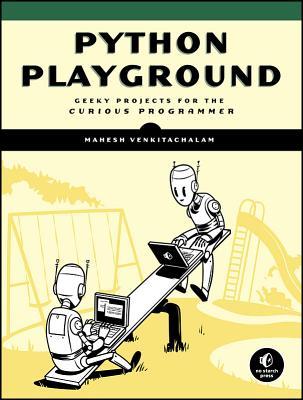
Python Playground Geeky Projects for the Curious Programmer 1st Edition by Mahesh Venkitachalam ISBN 1593276044 9781593276041

Original price was: $50.00.$35.00Current price is: $35.00.
Python Playground Geeky Projects for the Curious Programmer 1st Edition by Mahesh Venkitachalam – Ebook PDF Instant Download/Delivery: 1593276044, 9781593276041
Full download Python Playground Geeky Projects for the Curious Programmer 1st Edition after payment
Product details:
ISBN 10: 1593276044
ISBN 13: 9781593276041
Author: Mahesh Venkitachalam
Python is a powerful programming language that’s easy to learn and fun to play with. But once you’ve gotten a handle on the basics, what do you do next?
Python Playground is a collection of imaginative programming projects that will inspire you to use Python to make art and music, build simulations of real-world phenomena, and interact with hardware like the Arduino and Raspberry Pi. You’ll learn to use common Python tools and libraries like numpy, matplotlib, and pygame to do things like:
–Generate Spirograph-like patterns using parametric equations and the turtle module
–Create music on your computer by simulating frequency overtones
–Translate graphical images into ASCII art
–Write an autostereogram program that produces 3D images hidden beneath random patterns
–Make realistic animations with OpenGL shaders by exploring particle systems, transparency, and billboarding techniques
–Construct 3D visualizations using data from CT and MRI scans
–Build a laser show that responds to music by hooking up your computer to an Arduino
Python Playground Geeky Projects for the Curious Programmer 1st Table of contents:
Part I: Warming Up
1. The Koch Snowflake
-
How It Works
-
Using Recursion
-
Computing the Snowflake
-
Drawing with Turtle Graphics
-
Requirements
-
The Code
-
Calculating the Points
-
Recursing
-
Drawing a Flake
-
Writing the main() Function
-
Running the Snowflake Code
-
Summary
-
Experiments!
-
The Complete Code
2. Spirographs
-
How It Works
-
Understanding Parametric Equations
-
Drawing Curves with Turtle Graphics
-
Requirements
-
The Code
-
Drawing the Spiros
-
Coordinating the Animation
-
Saving the Curves
-
Parsing Command Line Arguments and Initialization
-
Running the Spirograph Animation
-
Summary
-
Experiments!
-
The Complete Code
Part II: Simulating Life
3. Conway’s Game of Life
-
How It Works
-
Requirements
-
The Code
-
Representing the Grid
-
Setting the Initial Conditions
-
Enforcing the Boundary Conditions
-
Implementing the Rules
-
Sending Command Line Arguments to the Program
-
Initializing the Simulation
-
Running the Game of Life Simulation
-
Summary
-
Experiments!
-
The Complete Code
4. Musical Overtones with Karplus-Strong
-
How It Works
-
The Simulation
-
The WAV File Format
-
The Minor Pentatonic Scale
-
Requirements
-
The Code
-
Implementing the Ring Buffer with deque
-
Implementing the Karplus-Strong Algorithm
-
Writing a WAV File
-
Playing WAV Files with pyaudio
-
Creating Notes and Parsing Arguments
-
Running the Plucked String Simulation
-
Summary
-
Experiments!
-
The Complete Code
5. Flocking Boids
-
How It Works
-
Requirements
-
The Code
-
Initializing the Simulation
-
Setting Boundary Conditions
-
Drawing a Boid
-
Applying the Rules of the Boids
-
Influencing the Simulation
-
Incrementing the Simulation
-
Parsing Arguments and Instantiating the Boids
-
Running the Boids Simulation
-
Summary
-
Experiments!
-
The Complete Code
Part III: Fun with Images
6. ASCII Art
-
How It Works
-
Requirements
-
The Code
-
Defining the Grayscale Levels and Grid
-
Computing the Average Brightness
-
Generating the ASCII Content from the Image
-
Creating Command Line Options
-
Writing the ASCII Art Strings to a Text File
-
Running the ASCII Art Generator
-
Summary
-
Experiments!
-
The Complete Code
7. Photomosaics
-
How It Works
-
Splitting the Target Image
-
Averaging Color Values
-
Matching Images
-
Requirements
-
The Code
-
Reading In the Input Images
-
Calculating the Average Color Value of an Image
-
Splitting the Target Image into a Grid
-
Finding the Best Match for a Tile
-
Creating an Image Grid
-
Creating the Photomosaic
-
Writing the main() Function
-
Running the Photomosaic Generator
-
Summary
-
Experiments!
-
The Complete Code
8. Autostereograms
-
How It Works
-
Perceiving Depth in an Autostereogram
-
Working with Depth Maps
-
Shifting Pixels
-
Requirements
-
The Code
-
Creating a Tile from Random Circles
-
Repeating a Given Tile
-
Creating Autostereograms
-
Providing Command Line Options
-
Running the Autostereogram Generator
-
Summary
-
Experiments!
-
The Complete Code
Part IV: Enter 3D
9. Understanding OpenGL
-
How OpenGL Works
-
Geometric Primitives
-
3D Transformations
-
Shaders
-
Vertex Buffers
-
Texture Mapping
-
The OpenGL Context
-
Requirements
-
The Code
-
The RenderWindow Class
-
The Scene Class
-
Utility Functions
-
Running the OpenGL Application
-
Summary
-
Experiments!
-
The Complete Code
10. Conway’s Game of Life on a Torus
-
How It Works
-
Computing Vertices
-
Computing Normals for Lighting
-
Rendering
-
Coloring the Triangle Strips
-
Controlling the Camera
-
Mapping the Grid to the Torus
-
Requirements
-
The Code
-
Rendering the Torus
-
Implementing the Game of Life Simulation
-
Creating the Camera
-
Putting Everything Together
-
Running the 3D Game of Life Simulation
-
Summary
-
Experiments!
-
The Complete Torus Rendering Code
-
The Complete Game of Life Simulation Code
-
The Complete Camera Code
-
The Complete RenderWindow Code
11. Volume Rendering
-
How It Works
-
The Data Format
-
Ray Generation
-
The OpenGL Window
-
Requirements
-
The Code
-
Generating a 3D Texture
-
Generating Rays
-
Implementing the Ray Casting Algorithm
-
Showing 2D Slices
-
Putting the Code Together
-
Running the Program
-
Summary
-
Experiments!
-
The Complete 3D Texture Code
-
The Complete Ray Generation Code
-
The Complete Volume Ray Casting Code
-
The Complete 2D Slicing Code
-
The Complete Main File Code
Part V: Hardware Hacking
12. Karplus-Strong on a Raspberry Pi Pico
-
How It Works
-
Input and Output
-
The I2S Protocol
-
Requirements
-
Hardware Setup
-
MicroPython Setup
-
The Code
-
Setting Up
-
Generating the Notes
-
Playing a Note
-
Writing the main() Function
-
Running the Pico Code
-
Summary
-
Experiments!
-
The Complete Code
13. Laser Audio Display with a Raspberry Pi
-
How It Works
-
Generating Patterns with a Laser
-
Analyzing Audio with the Fast Fourier Transform
-
Requirements
-
Setting Up the Raspberry Pi
-
Constructing the Laser Display
-
Hooking Up the Hardware
-
The Code
-
Setting Up
-
Controlling the Hardware
-
Processing the Audio
-
Testing the Motors
-
Putting It All Together
-
Running the Laser Display
-
Summary
-
Experiments!
-
The Complete Code
14. IoT Garden
-
How It Works
-
Bluetooth Low Energy
-
The Bottle Web Framework
-
The SQLite Database
-
Requirements
-
Raspberry Pi Setup
-
CircuitPython Setup
-
If This Then That Setup
-
The Code
-
The CircuitPython Code
-
The BLE Scanner Code
-
The Web Server Code
-
The Main Program File
-
Running the IoT Garden
-
Summary
-
Experiments!
-
The Complete CircuitPython Code
-
The Complete BLE Scanner Code
-
The Complete Python Web Server Code
-
The Complete Main Program Code
15. Audio ML on Pi
-
A Machine Learning Overview
-
How It Works
-
Spectrograms
-
Inference on the Raspberry Pi
-
Requirements
-
The Code
-
Training the Model in Google Colab
-
Using the Model on the Raspberry Pi
-
Running the Speech Recognition System
-
Summary
-
Experiments!
-
The Complete Code
People also search for Python Playground Geeky Projects for the Curious Programmer 1st:
python playground 2nd edition geeky projects for the curious programmer
python playground github
python playground pdf
python playground programming hero
python playground py4e
Tags: Mahesh Venkitachalam, Python, Geeky Projects