

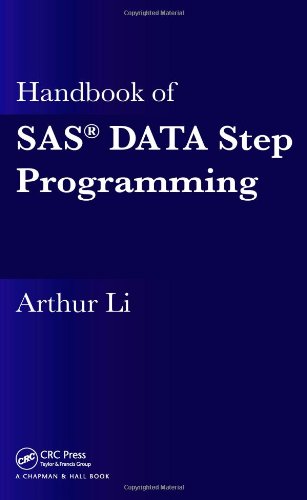
Handbook of SAS DATA Step Programming 1st Edition by Arthur Li ISBN 1466552387 9781466552388

Original price was: $50.00.$35.00Current price is: $35.00.
Handbook of SAS DATA Step Programming 1st Edition by Arthur Li – Ebook PDF Instant Download/Delivery: 1466552387, 9781466552388
Full download Handbook of SAS DATA Step Programming 1st Edition after payment
Product details:
ISBN 10: 1466552387
ISBN 13: 9781466552388
Author: Arthur Li
Handbook of SAS DATA Step Programming 1st Table of contents:
1. Introduction to SAS®
1.1 SAS Program and Language
1.2 Reading Data into SAS
1.2.1 The SAS Data Set and SAS Library
1.2.2 Reading a SAS Data Set
1.2.3 Reading a Raw Data File with Fixed Fields
1.2.4 Reading Data Entered Directly into the Program
1.3 Creating and Modifying Variables
1.3.1 The Assignment Statement and SAS Expression
1.3.2 Creating Variables Conditionally
1.4 Base SAS Procedures
1.4.1 Common Statements in SAS Procedures: TITLE, BY, and WHERE Statements
1.4.2 The CONTENTS Procedure
1.4.3 The SORT Procedure
1.4.4 The PRINT Procedure
1.4.5 The MEANS Procedure
1.4.6 The FREQ Procedure
1.5 Subsetting Data by Selecting Variables
1.5.1 Selecting Variables with the KEEP= Data Set Option or KEEP Statement
1.5.2 Selecting Variables with the DROP= Data Set Option or DROP Statement
1.5.3 Where to Specify the DROP= and KEEP= Data Set Options and DROP/KEEP Statements
1.6 Changing the Appearance of Data
1.6.1 Labeling Variables
1.6.2 Formatting Variable Values Using SAS FORMATS
Exercises
2. Creating Variables Conditionally
2.1 The IF-THEN/ELSE Statement
2.1.1 Steps for Creating a Variable
2.1.2 Handling Missing Values When Creating Variables
2.1.3 TRUE and FALSE: Logical Expressions
2.1.4 The LENGTH Attribute
2.1.5 DO Group
2.2 Executing One of Several Statements
2.2.1 Multiple IF-THEN/ELSE Statements
2.2.2 Executing Statements Using the SELECT Group
2.3 Modifying the IF-THEN/ELSE Statement with the Assignment Statement
Exercises
3. Understanding How the DATA Step Works
3.1 DATA Step Processing Overview
3.1.1 DATA Step Compilation Phase
3.1.2 DATA Step Execution Phase
3.1.3 The Importance of the OUTPUT Statement
3.1.4 The Difference between Reading a Raw Data Set and a SAS Data Set
3.2 Retaining the Value of Newly Created Variables
3.2.1 The RETAIN Statement
3.2.2 The SUM Statement
3.3 Conditional Processing in the DATA Step
3.3.1 The Subsetting IF Statement
3.3.2 Detecting the End of a Data Set by Using the END=Option
3.3.3 Restructuring Data Sets from Wide Format to Long Format
3.4 Debugging Techniques
3.4.1 Using the PUT Statement to Observe the Contents of the PDV
3.4.2 Using the DATA Step Debugger
Exercises
4. BY-Group Processing in the DATA Step
4.1 Introduction to BY-Group Processing
4.1.1 The FIRST.VARIABLE and the LAST.VARIABLE
4.1.2 The Execution Phase of BY-Group Processing
4.2 Applications Utilizing BY-Group Processing
4.2.1 Calculating Mean Score within Each BY Group
4.2.2 Creating Data Sets with Duplicate or Non-Duplicate Observations
4.2.3 Obtaining the Most Recent Non-Missing Data within Each BY Group
4.2.4 Restructuring Data Sets from Long Format to Wide Format
Exercises
5. Writing Loops in the DATA Step
5.1 Implicit and Explicit Loops
5.1.1 Implicit Loops
5.1.2 Explicit Loops
5.1.3 Nested Loops
5.1.4 Combining Implicit and Explicit Loops
5.2 Utilizing Loops to Create Samples
5.2.1 Direct-Access Mode
5.2.2 Creating a Systematic Sample
5.2.3 Creating a Random Sample with Replacement
5.2.4 Creating a Random Sample without Replacement
5.3 Using Looping to Read a List of External Files
5.3.1 Using an Iterative DO Loop to Read an External File
5.3.2 Using an Iterative DO-Loop to Read Multiple External Files
Exercises
6. Array Processing
6.1 Introduction to Array Processing
6.1.1 Situations for Utilizing Array Processing
6.1.2 Defining and Referencing One-Dimensional Arrays
6.1.3 Compilation and Execution Phases for Array Processing
6.2 Functions and Operators Related to Array Processing
6.2.1 The DIM, HBOUND, and LBOUND Functions
6.2.2 Using the IN and OF Operator with an Array
6.3 Some Array Applications
6.3.1 Creating a Group of Variables by Using Arrays
6.3.2 Calculating Products of Multiple Variables
6.3.3 Restructuring Data Sets Using One-Dimensional Arrays
6.4 Applications That Use Multi-Dimensional Arrays
6.4.1 Calculating Average SBP for Pre- and Post-Treatment
6.4.2 Restructuring Data Sets by Using a Multi-Dimensional Array
Exercises
7. Combining Data Sets
7.1 Vertically Combining Data Sets
7.1.1 Concatenating Data Sets
7.1.2 Interleaving Data Sets
7.2 Horizontally Combining Data Sets
7.2.1 One-to-One Reading
7.2.2 One-to-One Merging
7.2.3 Match-Merging
7.2.4 Updating Data Sets
Exercises
8. Data Input and Output
8.1 Introduction to Reading and Writing Text Files
8.1.1 Steps for Reading Text Files
8.1.2 Steps for Writing Text Files
8.1.3 Data Informat
8.1.4 Data Format
8.1.5 SAS Date and Time Values
8.2 Reading Text Files
8.2.1 Column Input
8.2.2 Formatted Input
8.2.3 List Input
8.2.4 Modified List Input
8.2.5 Mixed Input
8.2.6 Creating Observations by Using the Line Pointer-Controls
8.2.7 Creating Observations by Using Line-Hold Specifiers
8.3 Creating Text Files
8.3.1 Column Output
8.3.2 Formatted Output
8.3.3 List Output
Exercises
9. Data Step Functions
9.1 Introduction to Functions and CALL Routines
9.1.1 Functions
9.1.2 CALL Routines
9.1.3 Categories of Functions and CALL Routines
9.2 Date and Time Functions
9.2.1 Creating Date and Time Values
9.2.2 Extracting Components from Date and Time Values
9.2.3 Date and Time Interval Functions
9.3 Character Functions
9.3.1 Functions for Changing Character Cases
9.3.2 Functions for Concatenating Character Strings
9.3.3 Functions for Searching, Exacting, and Replacing Character Strings
9.4 Functions for Converting Variable Types
9.4.1 The INPUT Function
9.4.2 The PUT Function
Exercises
10. Useful SAS® Procedures
10.1 Using the SORT Procedure to Eliminate Duplicate Observations
10.1.1 Eliminating Observations with Duplicate BY Values
10.1.2 Eliminating Duplicate Observations
10.2 Using the COMPARE Procedure to Compare the Contents of Two Data Sets
10.2.1 Information Provided from PROC COMPARE
10.2.2 Comparing Observations with Common ID Values
10.3 Restructuring Data Sets Using the TRANSPOSE Procedure
10.3.1 Transposing an Entire Data Set
10.3.2 Introduction to Transposing BY Groups
10.3.3 Where the ID Statement Does Not Work for Transposing BY Groups
10.3.4 Where the ID Statement Is Essential for Transposing BY Groups
10.3.5 Handling Duplicated Observations Using the LET Option
10.3.6 Situations Requiring Two or More Transpositions
10.4 Creating the User-Defined Format Using the FORMAT Procedure
10.4.1 Creating User-Defined Formats
10.4.2 Retrieving User-Defined Formats
10.4.3 Creating Variables by Using User-Defined Formats
10.5 Using the OPTIONS Procedure to Modify SAS System Options
People also search for Handbook of SAS DATA Step Programming 1st:
sas programming guide pdf
step-by-step programming with base sas 9.4 second edition pdf
sas programming basics pdf
a handbook of statistical analyses using sas 3rd edition pdf
a handbook of statistical analyses using sas
Tags: Arthur Li, SAS DATA, Programming