

Sale!
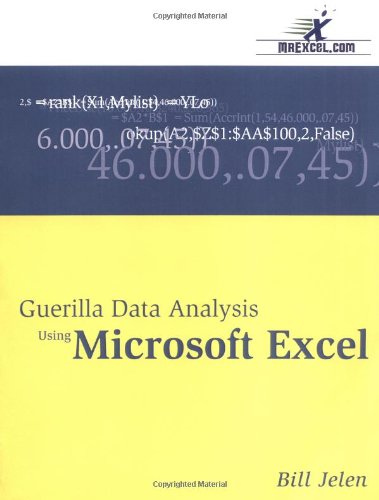
Guerilla Data Analysis Using Microsoft Excel 1st Edition by Bill Jelen ISBN 0972425802 9780972425803


Original price was: $50.00.$35.00Current price is: $35.00.
Guerilla Data Analysis Using Microsoft Excel 1st Edition Bill Jelen Digital Instant Download
ISBN(s): 9780972425803, 0972425802
Edition: 1
File Details: PDF, 7.18 MB
Year: 2002
Language: english
Guerilla Data Analysis Using Microsoft Excel 1st Edition by Bill Jelen – Ebook PDF Instant Download/Delivery: 0972425802, 9780972425803
Full download Guerilla Data Analysis Using Microsoft Excel 1st Edition after payment
Product details:
ISBN 10: 0972425802
ISBN 13: 9780972425803
Author: Bill Jelen
This book includes step-by-step examples and case studies that teach users the many power tricks for analyzing data in Excel. These are tips honed by Bill Jelen, “MrExcel,” during his 10-year run as a financial analyst charged with taking mainframe data and turning it into useful information quickly. Topics include perfectly sorting with one click every time, matching lists of data, data consolidation, data subtotals, pivot tables, and much more.
Guerilla Data Analysis Using Microsoft Excel 1st Table of contents:
- In the trenches
- Changing formulas to values
- Other uses for Paste Special
- Multiple customer names/single customer number
- VLOOKUP
- All sorts of sorts
- Sorting rules
- Comparing sort techniques
- Matching two lists of data
- Building a formula for forecast balance
- Eliminating rounding errors
- Calculating total expected
- Manually catching errors
- Automated error checking
- Conclusion
- Data→Consolidate
- Data→Subtotals and Go To Special
- Subtotaling data
- Go To Special
- To remove subtotals
- To add additional subtotals
- Subtotals bug in Excel 7.0 (95)
- Filtering Data
- Finding records quickly with AutoFilter
- Using Advanced Filter
- Conclusion
- SUMIF and COUNTIF
- SUMIF
- SUMIF with two criteria
- COUNTIF
- The keys to the kingdom: CSE
- Using array formulas
- Copying array formulas
- Advanced array formulas
- Finding CSE in the help files
- Array formulas and their impact on overhead
- Pivot tables
- Pivot table capabilities
- How to create a pivot table
- Things to note about pivot tables
- Intermediate tips, tricks, and troubleshooting
- Pivot table Q & A
- INDIRECT and OFFSET functions
- INDIRECT function
- Advanced INDIRECT
- Using INDIRECT with an array formula
- Using INDIRECT as an Argument for Another Function
- OFFSET Function
- Remedial reading
- Relative, absolute, and mixed references
- Use the End key to “ride the range”
- Nesting formulas
- IF functions
- Use Boolean logic facts
- Page Setup forces reports to fit
- Text manipulation formulas
- Date handling
- Quickly see Sum/Average of a range
- Customizing Any Chart Feature with a Right-Click
- Introduction to Excel functions
- Predict your car loan payment with PMT()
- Round prices up with CEILING()
- Convert between units of measurement with CONVERT()
- Present bad financial news in Roman numerals with ROMAN()
- Compare errors in absolute terms with ABS()
- Use random numbers to provide simulations with RAND()
- Get sales forecasts with =FORECAST()
- Figure out the slope of a line with LINEST()
- Rewrite the CSE chapter with SUMPRODUCT()
- Choose from a list with CHOOSE()
- Test to see if a case is full with ISEVEN()
- Put 7th grade math teachers out of a job with GCD(), LCM(), FACT()
- Impress your Lotus 1-2-3 friends with DAVERAGE()
- There are many more cool functions!
People also search for Guerilla Data Analysis Using Microsoft Excel 1st:
using excel for data analysis
using excel to analyse data
data analysis tools and techniques in excel
guerilla data analysis
guerrilla data analysis using microsoft excel
Tags: Bill Jelen, Guerilla Data, Microsoft Excel