

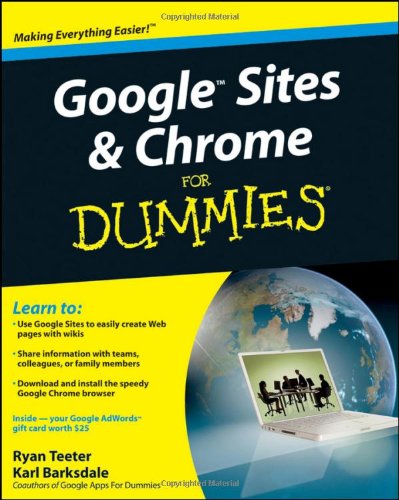
Google Sites Chrome For Dummies 1st Edition by Ryan Teeter, Karl Barksdale ISBN 0470469994 9780470469996


Original price was: $50.00.$35.00Current price is: $35.00.
Google Sites Chrome For Dummies 1st Edition by Ryan Teeter, Karl Barksdale – Ebook PDF Instant Download/Delivery: 0470469994, 9780470469996
Full download Google Sites Chrome For Dummies 1st Edition after payment
Product details:
ISBN 10: 0470469994
ISBN 13: 9780470469996
Author: Ryan Teeter, Karl Barksdale
Curious about Google Sites and how team collaboration Web sites can help you share documents online from various locations? Curious about Google’s new Chrome browser? Google Sites & Chrome For Dummies has what you want to know!
Today, Google is so much more than another word for “search.” Google Sites & Chrome For Dummies shows you how to create great collaborative Web sites with Google Sites and surf the Web with the super-fast Google Chrome browser. Find out how they work with other Google Apps, too. You’ll learn to:
- Take advantage of free hosting, free tools, and a simple, straightforward interface with Google Sites
- Set up a Google account or Google Apps account
- Create wiki sites that let coworkers collaborate on projects or keep family members up to date
- Use Google gadgets to keep track of projects, manage calendars and documents, or display photos
- Integrate documents, spreadsheets, presentations, and other Google Apps into your site
- Work with Contact List, Google Talk, and Google Chat, and handle e-mail with Gmail
- Download and install the speedy Google Chrome browser
- Install browser plug-ins, enable offline access to Google Docs, and manage misbehaving tabs
You’ll even find instructions and examples to help you plan sites for personal and business use, plus a sample college course site. With advice from Google Sites & Chrome For Dummies, you can make collaboration easy and have the high-speed Web at your fingertips.
Google Sites Chrome For Dummies 1st Table of contents:
-
Getting Started with Google Sites
- Setting up a Google Account (if you don’t have one)
- Accessing Google Sites
- Understanding the Google Sites interface
- Creating your first site
-
Creating Your First Website
- Choosing a template
- Adding pages to your site
- Structuring your site’s navigation
- Customizing the look and feel
-
Adding Content to Your Site
- Inserting text and images
- Embedding videos and other media
- Adding links, buttons, and Google integrations (Docs, Sheets, etc.)
- Managing your site’s content
-
Designing Your Website
- Changing the theme of your site
- Customizing colors and fonts
- Using layouts and sections for a professional design
-
Publishing and Sharing Your Site
- Setting up site permissions
- Previewing your site
- Publishing your site live
- Sharing your site with others
-
Advanced Features and Customizations
- Adding custom HTML (if supported)
- Using Google Analytics for tracking visitors
- Managing site revisions and updates
-
Maintaining Your Website
- Editing content after publication
- Backing up your site
- Updating site permissions
- Troubleshooting common issues
-
Google Sites for Business and Education
- Creating sites for teams or organizations
- Collaborating on Google Sites
- Using Google Sites in educational settings
People also search for Google Sites Chrome For Dummies 1st:
google sites chrome for dummies
google sites and chrome for dummies
what can google sites be used for
is google sites easy to use
how to use google sites
Tags:
Ryan Teeter,Karl Barksdale,Google Sites,Chrome