

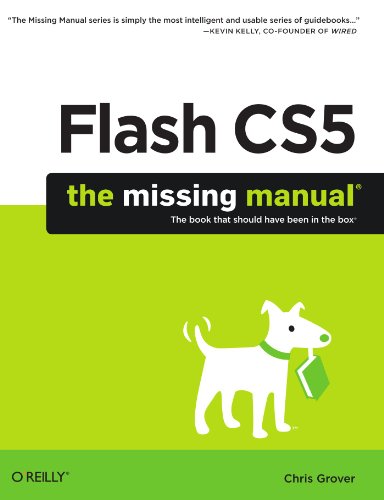
Flash CS5 The Missing Manual 1st Edition by Chris Grover ISBN 1449380255 9781449380250


Original price was: $50.00.$35.00Current price is: $35.00.
Flash CS5 The Missing Manual 1st Edition by Chris Grover – Ebook PDF Instant Download/Delivery: 1449380255, 9781449380250
Full download Flash CS5 The Missing Manual 1st Edition after payment
Product details:
ISBN 10: 1449380255
ISBN 13: 9781449380250
Author: Chris Grover
Flash CS5 The Missing Manual 1st Table of contents:
Part One: Creating a Flash Animation
Chapter 1. Getting Around Flash
Starting Flash
A Tour of the Flash Workspace
Panels and Toolbars
The Flash CS5 Test Drive
Chapter 2. Creating Simple Drawings
Plan Before You Draw
Preparing to Draw
Drawing a Shape
Choosing a Drawing Mode
Creating Original Artwork
Copying and Pasting Drawn Objects
Adding Color
Chapter 3. Animate Your Art
Frame-by-Frame Animation
Editing Your Frame-by-Frame Animation
Making It Move with Motion Tweens
Editing the Motion Path
Copying and Pasting Properties
Shape Tweening (Morphing)
Part Two: Advanced Drawing and Animation
Chapter 4. Organizing Frames and Layers
Working with Frames
Working with Multiple Layers
Organizing Layers
Spotlight Effect Using Mask Layers
Chapter 5. Advanced Drawing and Coloring
Selecting Graphic Elements
Manipulating Graphic Elements
Spray Painting Symbols
Drawing with the Deco Tool
Advanced Color and Fills
Chapter 6. Choosing and Formatting Text
Text Questions
Choosing TLF or Classic Text
About Typefaces and Fonts
Adding Text to Your Document
Choosing and Using Text Containers
Animating Text Without ActionScript
Text Properties by Subpanel
Chapter 7. Reusable Flash: Symbols and Templates
Symbols and Instances
Templates
Chapter 8. Advanced Tweens with the Motion Editor
Applying Motion Presets
Modifying a Motion Preset
Editing a Tween Span
A Tour of the Motion Editor
Changing Transparency with the Motion Editor
Easing Tweens
Chapter 9. Realistic Animation with IK Bones
Linking Symbols with Bones
Making Shapes Move with Bones
Apply Spring to a Motion
Animating an Armature with ActionScript
Chapter 10. Incorporating Non-Flash Media Files
Importing Graphics
Importing Illustrator Graphics Files
Importing Photoshop Graphic Files
Importing Fireworks Graphics
Editing Bitmaps
Exporting Graphics from Flash
Chapter 11. Incorporating Sound and Video
Incorporating Sound
Incorporating Video
Importing Video Files
Part Three: Adding Interactivity
Chapter 12. Introduction to ActionScript 3
Getting to Know ActionScript 3
Beginning Your ActionScript Project
Object-Oriented Thinking
Using Data Types, Variables, and Constants
Conditionals and Loops
Combining ActionScript’s Building Blocks
Chapter 13. Controlling Actions with Events
How Events Work
Mouse Events
Getting Help for Events and Event Listeners
Creating a Tabbed Window with Mouse Events
Keyboard Events and Text Events
Keeping Time with TimerEvent
Removing Event Listeners
In Case of Other Events
Chapter 14. Organizing Objects with the Display List
The Display List: Everything in Its Place
Adding Objects to the Display List
Managing the Stacking Order
Summary of Properties and Methods
Chapter 15. Controlling the Timeline and Animation
Slowing Down (or Speeding Up) Animation
Timeline Stop and Go
Organizing Your Animation
Looping a Series of Frames
Reversing a Series of Frames
Chapter 16. Components for Interactivity
Adding Components
The Built-In Components
Finding Additional Components
Chapter 17. Choosing, Using, and Animating Text
What Font Does Your Audience Have?
Controlling Text with ActionScript
Creating Text Fields with ActionScript
Positioning, Sizing, and Formatting a Text Field
Formatting Characters and Paragraphs
Formatting with HTML and CSS
Choosing the Right Text Formatting System
Chapter 18. Drawing with ActionScript
What’s the Point?
Beginning with the Graphics Class
Drawing Lines
Drawing Curves
Drawing Built-in Shapes
Drawing Irregular Shapes
Making Drawings Move
Shape, Sprite, and Movie Clip for Drawings
Removing Lines and Shapes
Part Four: Debugging and Delivering Your Animation
Chapter 19. Testing and Debugging Your Animation
Testing Strategies
Testing on the Stage
Testing in Flash Player
Testing Inside a Web Page
Testing Download Time
The Art of Debugging
Analyzing Code with the Debugger
Chapter 20. Publishing and Exporting
Optimizing Flash Documents
Publishing Your Animations
Exporting Flash to Other Formats
Chapter 21. Introducing Adobe AIR
Meet Adobe AIR
Creating Your First AIR Application
Create a Code Signing Certificate
Convert a Flash Animation to AIR
Publish Your AIR Application
Manually Install Adobe AIR Runtime
Part Five: Appendixes
Appendix A. Installation and Help
Flash CS5 Minimum System Requirements
Installing and Activating Flash Professional CS5
Uninstalling and Deactivating Flash Professional CS5
Getting Help from Flash
Flash Documentation: The Help Page
ActionScript 3.0 Reference
Flash Video Workshop Tutorials
Getting Help from Adobe
Online Articles, FAQs, and Sample Code
Forums
Direct Person-to-Person Help
More Flash Books
Finding Flash Gurus
Appendix B. Flash Professional CS5, Menu by Menu
File
New
Open
Browse in Bridge
Open Recent
Close
Close All
Save
Save As
Save as Template
Check In
Save All
Revert
Import
Export
Publish Settings
Publish Preview
Publish
AIR Settings
File Info
Share My Screen
Page Setup
Print Margins (Mac only)
Print
Send (Windows only)
Exit (Mac: Flash➝Quit Flash)
Edit
Undo
Redo
Cut
Copy
Paste in Center
Paste in Place
Clear
Duplicate
Select All
Deselect All
Find and Replace
Find Next
Timeline
Edit Symbols/Document
Edit Selected
Edit in Place
Edit All
Preferences (Mac: Flash➝Preferences)
Customize Tools Panel (Mac: Flash➝Customize Tools Panel)
Font Mapping (Mac: Flash➝Font Mapping)
Keyboard Shortcuts (Mac: Flash➝Keyboard Shortcuts)
View
Go To
Zoom In
Zoom Out
Magnification
Preview Mode
Pasteboard
Rulers
Grid
Guides
Snapping
Hide Edges
Show Shape Hints
Show Tab Order
Insert
New Symbol
Motion Tween
Shape Tween
Classic Tween
Timeline
Scene
Modify
Document
Convert to Symbol
Break Apart
Bitmap
Symbol
Shape
Combine Objects
Timeline
Transform
Arrange
Align
Group
Ungroup
Text
Font
Size
Style
Align
Letter Spacing
Scrollable
Check Spelling
Spelling Setup
Font Embedding
Commands
Manage Saved Commands
Get More Commands
Run Command
Convert Symbol to Flex Component
Convert Symbol to Flex Container
Copy Font Name for ActionScript
Copy Motion as XML
Export Motion XML
Import Motion XML
Control
Play
Rewind
Go To End
Step Forward One Frame
Step Backward One Frame
Test Movie
Test Scene
Delete ASO Files
Delete ASO Files and Test Movie
Loop Playback
Play All Scenes
Enable Simple Frame Actions
Enable Simple Buttons
Enable Live Preview
Mute Sounds
Debug
Debug Movie
Continue
End Debug Session
Step In
Step Over
Step Out
Remove All Breakpoints
Begin Remote Debug Session
Window
Duplicate Window
Toolbars
Timeline
Motion Editor
Tools
Properties
Library
Common Libraries
Motion Presets
Actions
Code Snippets
Behaviors
Compiler Errors
Debug Panels
Movie Explorer
Output
Align
Color
Info
Swatches
Transform
Components
Component Inspector
People also search for Flash CS5 The Missing Manual 1st:
gh5 flash settings
flash guide csgo
adobe flash cs5.5 serial number
i-flashdevice hd user manual
j-flash command line
Tags:
Chris Grover,Flash CS5