

Sale!
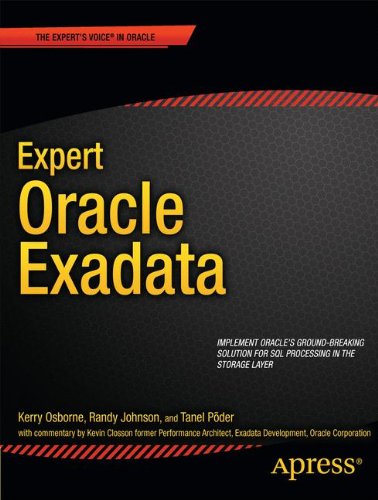
Expert Oracle Exadata 1st Edition by Kerry Osborne, Randy Johnson, Tanel Poder ISBN 1430233923 9781430233923


Original price was: $50.00.$35.00Current price is: $35.00.
Expert Oracle Exadata 1st Edition Kerry Osborne Digital Instant Download
ISBN(s): 9781430233923, 1430233923
Edition: 1
File Details: PDF, 13.09 MB
Year: 2011
Language: english
Expert Oracle Exadata 1st Edition by Kerry Osborne, Randy Johnson, Tanel Poder – Ebook PDF Instant Download/Delivery: 1430233923, 9781430233923
Full download Expert Oracle Exadata 1st Edition after payment
Product details:
ISBN 10: 1430233923
ISBN 13: 9781430233923
Author: Kerry Osborne, Randy Johnson, Tanel Poder
Throughout history, advances in technology have come in spurts. A single great idea can often spur rapid change as the idea takes hold and is propagated, often in totally unexpected directions. Exadata embodies such a change in how we think about and manage relational databases. The key change lies in the concept of offloading SQL processing to the storage layer. That concept is a huge win, and its implementation in the form of Exadata is truly a game changer. Expert Oracle Exadata will give you a look under the covers at how the combination of hardware and software that comprise Exadata actually work. Authors Kerry Osborne, Randy Johnson, and Tanel Põder share their real-world experience, gained through multiple Exadata implementations with the goal of opening up the internals of the Exadata platform. This book is intended for readers who want to understand what makes the platform tick and for whom—”how” it does what it is does is as important as what it does. By being exposed to the features that are unique to Exadata, you will gain an understanding of the mechanics that will allow you to fully benefit from the advantages that the platform provides. Changes the way you think about managing SQL performance and processing Provides a roadmap to laying out the Exadata platform to best support your existing systems Dives deeply into the internals, removing the “black box” mystique and showing how Exadata actually works
Expert Oracle Exadata 1st Table of contents:
- Contents at a Glance
- Table of Contents
- About the Author
- About the Technical Reviewer
- Acknowledgments
- Introduction
- The Intended Audience
- How We Came to Write This Book
- A Moving Target
- Thanks to the Unofficial Editors
- Who Wrote That?
- Online Resources
- A Note on “Kevin Says”
- How We Tested
- Schemas and Tables
- Good Luck
- CHAPTER 1 What Is Exadata?
- An Overview of Exadata
- History of Exadata
- Alternative Views of What Exadata Is
- Data Warehouse Appliance
- OLTP Machine
- Consolidation Platform
- Configuration Options
- Exadata Database Machine X2-2
- Exadata Database Machine X2-8
- Upgrades
- Hardware Components
- Operating Systems
- Database Servers’
- InfiniBand
- Flash Cache
- Disks
- Bits and Pieces
- Software Components
- Database Server Software
- Storage Server Software
- Software Architecture
- Summary
- CHAPTER 2 Offloading / Smart Scan
- Why Offloading Is Important
- What Offloading Includes
- Column Projection
- Predicate Filtering
- Storage Indexes
- Simple Joins (Bloom Filters)
- Function Offloading
- Compression/Decompression
- Encryption/Decryption
- Virtual Columns
- Data Mining Model Scoring
- Non-Smart Scan Offloading
- Smart File Creation
- RMAN Incremental Backups
- RMAN Restores
- Smart Scan Prerequisites
- Full Scans
- Direct Path Reads
- Exadata Storage
- Smart Scan Disablers
- Simply Unavailable
- Reverting to Block Shipping
- Skipping Some Offloading
- How to Verify That Smart Scan is Happening
- 10046 Trace
- Performance Statistics (v$sessstat)
- Offload Eligible Bytes
- SQL Monitoring
- Parameters
- Summary
- CHAPTER 3 Hybrid Columnar Compression
- Oracle Storage Review
- Oracle Compression Mechanisms
- BASIC
- OLTP
- HCC
- HCC Mechanics
- HCC Performance
- Load Performance
- Query Performance
- DML Performance
- Expected Compression Ratios
- Compression Advisor
- Real World Examples
- Custom Application Data
- Telecom Call Detail Data
- Financial Data
- Retail Sales Data
- Summary of the Real World Examples
- Restrictions/Challenges
- Moving Data to a non-Exadata Platform
- Disabling Serial Direct Path Reads
- Locking Issues
- Single Row Access
- Common Usage Scenarios
- Summary
- CHAPTER 4 Storage Indexes
- Structure
- Monitoring Storage Indexes
- Database Statistics
- Tracing
- Monitoring Wrap Up
- Controlling Storage Indexes
- _kcfis_storageidx_disabled
- _kcfis_storageidx_diag_mode
- _cell_storidx_mode
- Storage Software Parameters
- Behavior
- Performance
- Special Optimization for Nulls
- Physical Distribution of Values
- Potential Issues
- Incorrect Results
- Moving Target
- Partition Size
- Incompatible Coding Techniques
- Summary
- CHAPTER 5 Exadata Smart Flash Cache
- Hardware
- Cache vs. Flash Disk
- Using Flash Memory as Cache
- How ESFC is Created
- Controlling ESFC Usage
- Monitoring
- At the Storage Layer
- At the Database Layer
- Performance
- Summary
- CHAPTER 6 Exadata Parallel Operations
- Parameters
- Parallelization at the Storage Tier
- Auto DOP
- Operation and Configuration
- I/O Calibration
- Auto DOP Wrap Up
- Parallel Statement Queuing
- The Old Way
- The New Way
- Controlling Parallel Queuing
- Controlling Queuing with Parameters
- Controlling Queuing with Hints
- Controlling Queuing with Resource Manager
- Parallel Statement Queuing Wrap Up
- In-Memory Parallel Execution
- Summary
- CHAPTER 7 Resource Management
- Database Resource Manager
- Consumer Groups
- Consumer Group Mapping Rules
- Plan Directives
- Resource Plan
- The Pending Area
- Resource Manager Views
- The Wait Event: resmgr: cpu quantum
- DBRM Example
- Step 1: Create Resource Groups
- Step 2: Create Consumer Group Mapping Rules
- Step 3: Set Resource Group Mapping Priorities
- Step 4: Create the Resource Plan and Plan Directives
- Step 5: Create the Night-Time Plan
- Step 6: Activate the Resource Plan
- Testing a Resource Plan
- Test Outline
- Step 1: Deactivate DBRM
- Step 2: Log In as RJOHNSON
- Step 3: Start Load Test
- Step 4: Check Consumer Group Assignments
- Step 5: Start 10046 Session Trace for the interactive RJOHNSON Session
- Step 6: Execute a Query from the RJOHNSON Session
- Step 7: Examine the Session Trace File
- Srep 8: Activate Resource Manager
- Step 9: Check Consumer Group Assignments
- Step 10: Examine the Session Trace File
- Step 11: Check DBRM Metrics
- Instance Caging
- Configuring and Testing Instance Caging
- Over-Provisioning
- I/O Resource Manager
- How IORM Works
- IORM Architecture
- Limiting Excess I/O Utilization
- Workload Optimization
- Methods for Managing I/O on Exadata
- Interdatabase I/O Resource Management
- Configuring Interdatabase IORM
- Category IORM
- Configuring Category IORM
- Intradatabase IORM
- Configuring Intradatabase IORM
- Bringing It All Together
- IORM Monitoring and Metrics
- Understanding IORM Metrics
- Workload Management
- Background Processes
- Mining the Metrics
- Reporting IORM Database Metrics
- Reporting IORM Category Metrics
- Reporting IORM Consumer Group Metrics
- Testing IORM Plans
- Test Outline
- Step 1: Activate Resource Manager
- Step 2: Start Load Test
- Step 3: Dump IORM Metrics to a File.
- Analyzing the Results
- Category Metrics
- Database Metrics
- Consumer Group Metrics
- Other Processes Managed by IORM
- Fast File Creation
- Recovery Manager
- Summary
- CHAPTER 8 Configuring Exadata
- Exadata Network Components
- The Management Network
- ILOM
- KVM
- The Client Access Network
- The Private Network
- About the Configuration Process
- Configuring Exadata
- Step 1: The Configuration Worksheet
- Exadata Configuration Parameters
- Oracle Environment Parameters
- Network Settings
- Cell Alert Notification Parameters
- Step 2: The DBM Configurator
- Step 3: Upload Parameter and Deployment Files
- Step 4: CheckIP (Checkip.sh)
- Step 5: Firstboot
- ApplyConfig
- Step 6: Staging the Installation Media
- Step 7: Running OneCommand
- Upgrading Exadata
- Creating a New RAC Cluster
- Upgrading the Existing Cluster
- Configuring Database Servers
- Configuring Storage Cells
- Summary
- CHAPTER 9 Recovering Exadata
- Exadata Diagnostic Tools
- Sun Diagnostics: sundiag.sh
- sundiag.sh Output
- HealthCheck
- CellCLI
- Cell Metrics
- Cell Alerts
- Backing Up Exadata
- Backing Up the Database Servers
- System Backup Using LVM Snapshots
- Backing Up the Storage Cell
- CELLBOOT USB Flash Drive
- External USB Drive
- Active and Inactive System Volumes
- In-Partition Patches
- Out-of-Partition Upgrades
- Backing Up the Database
- Disk-Based Backups
- Tape-Based Backups
- Backup from Standby Database
- Exadata Optimizations for RMAN
- Wait Events
- Recovering Exadata
- Restoring the Database Server
- Recovery Using LVM Snapshot-Based Backup Images
- Reimaging a Database Server
- Recovering the Storage Cell
- System Volume Failure
- Cell Rescue Options
- Rolling Back a Failed Patch
- Cell Disk Failure
- Simulated Disk Failure
- When to Replace a Cell Disk
- Predictive Failure
- Poor Performance
- Cell Flash Cache Failure
- Cell Failure
- Temporary Cell Failure
- Permanent Cell Failure
- Summary
- CHAPTER 10 Exadata Wait Events
- Events Specific to Exadata
- The “cell” Events
- Plan Steps That Trigger Events
- Exadata Wait Events in the User I/O Class
- cell smart table scan
- Event Meaning
- Parameters
- cell smart index scan
- Event Meaning
- Parameters
- cell single block physical read
- Event Meaning
- Parameters
- cell multiblock physical read
- Event Meaning
- Parameters
- cell list of blocks physical read
- Event Meaning
- Parameters
- cell smart file creation
- Event Meaning
- Parameters
- cell statistics gather
- Event Meaning
- Parameters
- Exadata Wait Events in the System I/O Class
- cell smart incremental backup
- Event Meaning
- Parameters
- cell smart restore from backup
- Event Meaning
- Parameters
- Exadata Wait Events in the Other and Idle Classes
- cell smart flash unkeep
- Event Meaning
- Parameters
- Old Events
- direct path read
- Event Meaning
- Parameters
- enq: KO—fast object checkpoint
- Event Meaning
- Parameters
- reliable message
- Event Meaning
- Parameters
- Resource Manager Events
- resmgr:cpu quantum
- Event Meaning
- Parameters
- resmgr:pq queued
- Event Meaning
- Parameters
- Summary
- CHAPTER 11 Understanding Exadata Performance Metrics
- Measuring Exadata’s Performance Metrics
- Revisiting the Prerequisites for Exadata Smart Scans
- Exadata Smart Scan Performance
- Understanding Exadata Smart Scan Metrics and Performance Counters
- Exadata Dynamic Performance Counters
- When and How to Use Performance Counters
- The Meaning and Explanation of Exadata Performance Counters
- Exadata Performance Counter Reference
- cell blocks helped by commit cache
- cell blocks helped by minscn optimization
- cell blocks processed by cache layer
People also search for Expert Oracle Exadata 1st:
oracle exadata vs oracle database
oracle exadata vs oracle
oracle exadata version
oracle exadata tde
oracle exadata support
Tags: Kerry Osborne, Randy Johnson, Tanel Poder, Oracle Exadata