

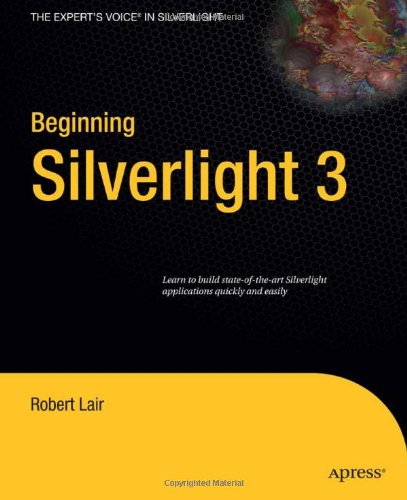
Beginning Silverlight 3 1st Edition by Robert Lair ISBN 1430223774 9781430223771


Original price was: $50.00.$35.00Current price is: $35.00.
Beginning Silverlight 3 1st Edition by Robert Lair – Ebook PDF Instant Download/Delivery: 1430223774, 9781430223771
Full download Beginning Silverlight 3 1st Edition after payment
Product details:
ISBN 10: 1430223774
ISBN 13: 9781430223771
Author: Robert Lair
Beginning Silverlight 3 1st Table of contents:
CHAPTER 1: Welcome to Silverlight 3
-
The Evolution of the User Interface
-
Rich Internet Application Solutions
-
What Is Silverlight?
-
Benefits of Silverlight
-
Cross-Platform/Cross-Browser Support
-
Cross-Platform Version of the .NET Framework
-
XAML, a Text-Based Markup Language
-
Use of Familiar Technologies
-
Small Runtime and Simple Deployment
-
The Silverlight Development Environment
-
New Features in Silverlight 3
-
Improved Performance
-
Summary
CHAPTER 2: Introduction to Visual Studio 2008
-
What Is Visual Studio?
-
What’s New in Visual Studio 2008?
-
JavaScript IntelliSense and Debugging
-
IntelliSense Improvements
-
New Debugging Features
-
Try It Out: JavaScript IntelliSense and Debugging
-
Multi-Targeting Support
-
Transparent IntelliSense Mode
-
Building Your First Silverlight Application in Visual Studio
-
Try It Out: Hello World in Silverlight 3
-
Hosting Your Silverlight Application: Web Site or Web Application?
-
Using a Visual Studio Web Site
-
Using a Visual Studio Web Application Project
-
Summary
CHAPTER 3: Layout Management in Silverlight 3
-
Layout Management
-
The Canvas Panel
-
Try It Out: Using the Canvas Panel
-
Filling the Entire Browser Window with Your Application
-
The StackPanel Control
-
Try It Out: Using the StackPanel Control
-
Try It Out: Nesting StackPanel Controls
-
The Grid Control
-
Try It Out: Using the Grid Control
-
Try It Out: Nesting a Grid and Spanning a Column
-
The WrapPanel Control
-
Try It Out: Using the WrapPanel Control
-
The DockPanel Control
-
Try It Out: Using the DockPanel Control
-
Summary
CHAPTER 4: Silverlight 3 Controls
-
Setting Control Properties
-
Attribute Syntax
-
Element Syntax
-
Type-Converter-Enabled Attributes
-
Attached Properties
-
Nesting Controls Within Controls
-
Handling Events in Silverlight
-
Try It Out: Declaring an Event in XAML
-
Try It Out: Declaring an Event Handler in Managed Code
-
The Border Control
-
User Input Controls
-
Try It Out: Working with the TextBox Control
-
Try It Out: Working with the RadioButton and CheckBox Controls
-
Extended Controls
-
Adding an Extended Control
-
Try It Out: Using the GridSplitter
-
AutoCompleteBox
-
ViewBox
-
Modal Windows
-
Try It Out: Using the Modal Child Window
-
Summary
CHAPTER 5: Data Binding and Silverlight List Controls
-
Data Binding
-
The Binding Class
-
Try It Out: Simple Data Binding in Silverlight
-
Element to Element Binding
-
Try It Out: Element to Element Binding
-
The DataGrid Control
-
Try It Out: Building a Simple DataGrid
-
The Columns Collection
-
DataGridTextColumn
-
DataGridCheckBoxColumn
-
DataGridTemplateColumn
-
Try It Out: Building a DataGrid with Custom Columns
-
The ListBox Control
-
Default and Custom ListBox Items
-
Try It Out: Building a ListBox with Custom Content
-
Summary
CHAPTER 6: Data Access and Networking
-
Data Access in Silverlight Applications
-
Accessing Data Through Web Services
-
Try It Out: Accessing Data Through a WCF Service
-
Accessing Services from Other Domains
-
Accessing Data Through Sockets
-
Summary
CHAPTER 7: Navigation Framework
-
Frame and Page Object
-
Try It Out: Creating a Silverlight Navigation Application
-
Benefits of the Navigation Framework
-
Deep Linking
-
The NavigationService Object
-
Try It Out: Using the NavigationService Object
-
Passing Data to Navigation Pages
-
Try It Out: Passing Data to Navigation Pages
-
Uri Mapping
-
Try It Out: Uri Mapping and the Navigation Framework
-
Silverlight Navigation Application Template
-
Try It Out: Using the Silverlight Navigation Application Template
-
Using Multiple Frames
-
Try It Out: Using Multiple Frames
-
Summary
CHAPTER 8: Local Storage in Silverlight
-
Working with Isolated Storage
-
Using the Isolated Storage API
-
IsolatedStorageFile
-
IsolatedStorageFileStream
-
IsolatedStorageSettings
-
Try It Out: Creating a File Explorer for Isolated Storage
-
Creating the Application Layout
-
Coding the File Explorer
-
Testing the File Explorer
-
Managing Isolated Storage
-
Viewing and Clearing Isolated Storage
-
Try It Out: Increasing the Isolated Storage Quota
-
Summary
CHAPTER 9: Introduction to Expression Blend
-
Key Features in Expression Blend
-
Visual XAML Editor
-
Visual Studio 2008 Integration
-
Split-View Mode
-
Visual State Manager and Template Editing Support
-
World-Class Timeline
-
Try It Out: Working with Projects in Expression Blend
-
Exploring the Workspace
-
Toolbox
-
Project Panel
-
Properties Panel
-
Objects and Timeline Panel
-
Laying Out an Application with Expression Blend
-
Working with the Grid Control in Expression Blend
-
Try It Out: Editing a Layout Grid with Expression Blend
-
Summary
CHAPTER 10: Styling in Silverlight
-
Inline Properties
-
Try It Out: Setting Inline Properties with Visual Studio
-
Try It Out: Setting Inline Properties with Expression Blend
-
Silverlight Styles
-
Try It Out: Using Styles As Static Resources
-
Defining Styles at the Application Level
-
Merged Resource Dictionaries
-
Silverlight Style Hierarchy
-
Inheriting Styles Using BasedOn
-
Summary
CHAPTER 11: Transformations and Animation
-
Introduction to Silverlight Animation
-
Silverlight Storyboards
-
Types of Animation in Silverlight
-
Programmatically Controlling Animations
-
Using Expression Blend to Create Animations
-
Viewing a Storyboard in the Expression Blend Timeline
-
Try It Out: Creating an Animation with Expression Blend
-
Creating Transformations in Silverlight
-
Transformation Types
-
ScaleTransform
-
SkewTransform
-
RotateTransform
-
TranslateTransform
-
Try It Out: Using Expression Blend to Transform Silverlight Objects
-
Summary
CHAPTER 12: Custom Controls
-
When to Write Custom Controls
-
Silverlight Control Toolkit
-
Silverlight Control Model
-
Parts and States Model
-
Dependency Properties
-
Creating Custom Controls in Silverlight
-
Implementing Custom Functionality
-
Try It Out: Building a Custom Control
-
Setting Up the Control Project
-
Defining Properties and States
-
Defining the Control’s Appearance
-
Handling Control Events
-
Compiling and Testing the Control
-
Summary
CHAPTER 13: Deployment
-
Deploying Silverlight Applications
-
XAP Files
-
Hosting Silverlight Content
-
Assembly Caching
-
Try It Out: Exploring Assembly Caching
-
Out of Browser Support
-
Customizing the Install Application Dialog
-
Out of Browser API
-
Removing Installed Applications
People also search for Beginning Silverlight 3 1st:
the beginning after the end silverlight
what is silverlight software used for
what is silverlight used for on windows
silverlight software
silverlight windows 10
Tags: Robert Lair, Beginning Silverlight