

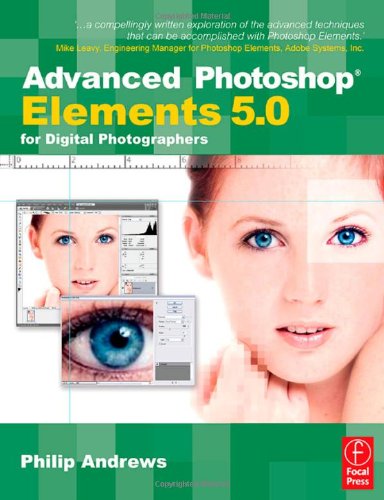
Advanced Photoshop Elements 5 0 for Digital Photographers 1st Edition by Philip Andrews ISBN 0240520572 9780240520575
Original price was: $50.00.$35.00Current price is: $35.00.
Advanced Photoshop Elements 5 0 for Digital Photographers 1st Edition by Philip Andrews – Ebook PDF Instant Download/Delivery: 0240520572, 9780240520575
Full download Advanced Photoshop Elements 5 0 for Digital Photographers 1st Edition after payment
Product details:
ISBN 10: 0240520572
ISBN 13: 9780240520575
Author: Philip Andrews
Advanced Photoshop Elements 5.0 for Digital Photographers by Philip Andrews is a comprehensive guide designed for photographers and digital imaging enthusiasts who want to take their Photoshop Elements skills to a professional level. This first edition focuses on advanced techniques for enhancing, manipulating, and creatively transforming digital images using Photoshop Elements 5.0. Andrews provides step-by-step instructions, practical examples, and expert tips, helping users go beyond basic photo editing to master tasks such as layer management, masking, color correction, and special effects. The book is tailored to photographers, emphasizing workflow efficiency and image quality, making it an essential resource for those looking to harness the full potential of Photoshop Elements in their digital photography projects.
Advanced Photoshop Elements 5 0 for Digital Photographers 1st Table of contents:
-
The Next Level
-
Elements Basics
-
Basic Elements Workflow
-
-
Scanner and Camera Techniques
-
The Basics – Resolution
-
How Many Pixels Do I Need?
-
The Basics – Color Depth
-
More Colors Equal Better Quality
-
Digital Shooting Technique
-
Exposure Compensation
-
Frame-by-Frame Control
-
Contrast
-
Color Saturation
-
White Balance Control
-
Applying Fine-Tuning Automatically
-
Customizing Your White Balance
-
Shooting RAW for Ultimate Control
-
So What Is in a RAW File?
-
The RAW Advantage
-
Shooting Workflows
-
Film and Print Scanners
-
Scanning Resolution – ‘Know Where You Are Going Before You Start the Journey’
-
Color Depth
-
Multi-Sample
-
Highlight and Shadow Capture
-
Color Cast Correction
-
Dust and Scratches
-
Noise Reduction Technologies
-
Color Regeneration Features
-
Scanning Workflow
-
Fixing Common Shooting Problems
-
Fixing Common Scanning Problems
-
-
Processing RAW Files
-
Enabling Your RAW Camera
-
Modifying Your Capture Workflow for RAW
-
Using the Adobe Photo Downloader
-
The Adobe Camera Raw Interface
-
The Conversion Process
-
Keeping ACR Up to Date
-
Other RAW Plug-ins
-
-
Photo Organization and Management
-
Organizing Your Photos with Photoshop Elements
-
Add Picture Details In-Camera
-
Organize Photos Whilst Downloading
-
Organizing Using Photo Browser
-
Captioning
-
Naming and Renaming
-
Tagging Your Photos
-
Auto Face Tagging
-
Collections and How to Group Photos
-
Changing Your View
-
Locating Files
-
Protecting Your Assets
-
Creating a Backup
-
Back Up Regularly
-
Store the Duplicates Securely
-
Versioning Your Edits
-
Versions and Photoshop Elements
-
Creating Image Stacks
-
-
Pathways to Editing in Elements
-
Automatic Editing
-
Auto Editing Summary:
-
Auto Smart Fix
-
Adjust Smart Fix
-
Auto Red Eye Fix
-
-
Automating Editing of Several Pictures at Once
-
Processing Multiple Files
-
Multi-Selection Editing
-
Bulk Red Eye Fixing
-
Semi-Automatic Editing
-
Semi-Auto Editing Summary
-
Using the Quick Fix Editor
-
Semi-Auto Full Edit Features
-
-
Manual Editing
-
The Full Edit Workspace
-
-
Image Changes – Beyond the Basics
-
Advanced Selection Techniques
-
Adding to and Subtracting from Selections
-
Using the Selection Brush
-
Magical Selections
-
Saving and Loading Selections
-
Modifying Selections
-
Transforming a Selection
-
Precise Control of Selection Size
-
-
Understanding Layers
-
Masking Techniques
-
Painting Masks with the Selection Brush
-
Fill and Adjustment Layer Masks
-
Using Selections with Layer Masks
-
‘Group with Previous’ Masks
-
-
Converting Color to Black and White
-
Changing the Mode to Grayscale
-
Desaturate the Color File
-
A More Sophisticated Approach
-
The New Convert to Black and White Feature
-
-
Advanced Dodging and Burning-In
-
Using Selections to Change Tone
-
Erase Back Through Tonal Layers
-
Paint on Dodging and Burning-In
-
-
Enhance Your Poorly Exposed Pictures
-
Screening Image Layers to Enhance Tones
-
Adding Detail to Highlights and Shadows
-
-
Tinted Monochromes
-
Using Hue and Saturation to Tone Your Pictures
-
-
Split Toning
-
Select and Tone
-
Two-Layer Erase
-
-
Black and White and Color
-
Layer Mask and Gradient Map
-
-
Border Techniques
-
Simple Borders
-
Sophisticated Edges Using Grayscale Masks
-
Creating Frames with Frame Layers
-
-
Adding Texture
-
Add Noise Filter
-
Grain Filter
-
Non-Destructive Textures
-
-
Advanced Sharpening Secrets
-
Unsharp Masking to the Rescue
-
Adjust Sharpness for the Ultimate Control
-
Another Approach
-
-
-
Darkroom Techniques on the Desktop
-
Diffusion Printing
-
Instant Film Transfer Effect
-
Using the Unsharp Mask Filter to Add Contrast
-
Lith Printing Technique
-
Correcting Perspective Problems
-
Add Emphasis with Saturation
-
Restoring Color to Faded Images
-
Cross-Processing Effects
-
Digital Hand Coloring
-
Realistic Depth of Field Effects
-
Beyond the Humble Drop Shadow
-
Ring Flash Shadow
-
New Curves Features
-
Dust and Scratches Be Gone
-
Combining Images Seamlessly
-
Believable Montages – A Step Fu
-
People also search for Advanced Photoshop Elements 5 0 for Digital Photographers 1st:
adobe photoshop elements 5.0 free download full version
adobe photoshop elements 5.0
photoshop elements 5.0 download
adobe photoshop 5.0 limited edition
photoshop elements 5.0
Tags: Philip Andrews, Photoshop Elements, Digital Photographers