

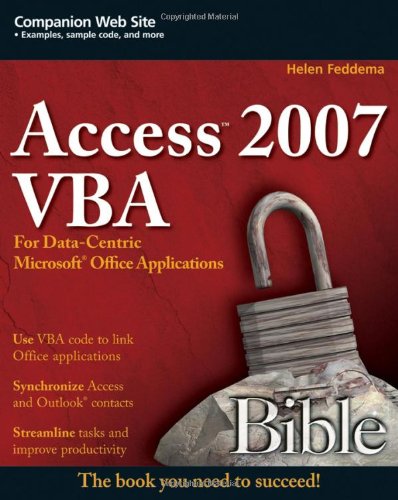
Access 2007 VBA bible for data centric Microsoft Office applications 1st Edition by Helen Feddema 0470047026 9780470047026


Original price was: $50.00.$35.00Current price is: $35.00.
Access 2007 VBA Bible for Data-Centric Microsoft Office Applications 1st Edition by Helen Feddema – Ebook PDF Instant Download/Delivery: 0470047026, 9780470047026
Full download Access 2007 VBA Bible for Data-Centric Microsoft Office Applications 1st Edition after payment
Product details:
ISBN 10: 0470047026
ISBN 13: 9780470047026
Author: Helen Feddema
Learn how to tap the full potential of Access 2007 Transfer Access data seamlessly between Microsoft Office applications—and that’s just for starters. In this all-new, comprehensive guide by well-known Access expert Helen Feddema, you’ll learn to write Visual Basic code that automates Access database tasks, creates standalone scripts, extracts and merges data, and allows you to put together powerful solutions. Whether you’re a beginner or a power user, this is the book you need to succeed with Access 2007.
Access 2007 VBA Bible 1st Table of contents:
Part I: The Office Components and What They Do Best
Chapter 1: Storing and Displaying Data in Access
A Brief History of Office Data Exchange
Storing Data in Access
Displaying Data in Access Forms and Reports
Creating Access Form Letters
Creating Worksheet-type Reports in Access
Plain Datasheet Reports
PivotTables
PivotCharts
Summary
Chapter 2: Creating Word Documents from Access
Filling Word Documents with Access Data Using the TypeText Method
Using Word Templates for Creating Formatted Word Documents
Bookmarks
Document Properties
Form Field Documents
Summary
Chapter 3: Analyzing Data with Excel
Exporting Access Data to an Unformatted Worksheet
Using Excel Templates to Create Formatted Worksheets Filled with Access Data
Formatting Excel Worksheets in VBA Code
Summary
Chapter 4: Organizing and Communicating with Outlook
Exporting Appointments and Tasks to Outlook
Exporting Journal Information to Outlook
Creating Emails from an Access Table
Summary
Part II: Writing VBA Code to Exchange Data between Office Components
Chapter 5: Working with Access Data
Working with Older Format Databases in Access 2007
Disambiguating References to Object Model Components
The DAO Object Model (Old and New)
New Objects in the Access 2007 DAO Object Model
Hidden Objects in the Access 2007 DAO Object Model
Databases
Recordsets
QueryDefs
TableDefs and Fields
The ADO Object Model
Connection
Command
Recordset
Record
Stream
Converting DAO Code to ADO Code
Summary
Chapter 6: Working with Word Documents and Templates
Built-in Word Export in Office 2007
Exporting Access Data to Word Using Automation Code
The Word Object Model
Creating a New, Blank Word Document
Creating a Word Document Based on a Template
Using a Query to Concatenate Data for Export
Choosing a Method for Merging Access Data to Word
Working with Word Document Properties
Word Bookmarks
The TypeText Method
Word Mail Merge
Summary
Chapter 7: Working with Excel Worksheets
Simply Exporting Access Data to Excel
The Excel Object Model
Minimally Formatted Worksheets
Tabular Worksheets Formatted from Code
Timesheets
Summary
Chapter 8: Working with Outlook Items
Exporting Access Data to Outlook Items
Using the Collect Data Group
Using the Import Group to Import or Link to Outlook Data
Using Sample Databases and Forms
The Outlook Object Model
Explorer, Inspector, and other Outlook Objects
Syntax for Referencing Outlook Objects
Referencing Outlook Items in VBA Code
Working with Outlook Appointments
Working with Outlook Tasks
Working with Outlook Contacts
Summary
Chapter 9: Working with Files and Folders
Working with Windows Explorer Folders
The Office File Dialog Object
The FileSystem Object
Backing up Your Database
Working with Text Files
Writing Data to Text Files
ADO
FileSystem Object
VB
Reading Data from Text Files
ADO
FSO
VB
Working with Attachment Fields
Loading Files into Attachment Fields
Saving Attachments to Files
Summary
Chapter 10: Working with External Data
Working with Text Files Using the Transfer Text Method
Creating an Import or Export Specification
Importing and Exporting Text File Data in VBA Code
Importing Text Data
Exporting Text Data
Working with Legacy Database and Spreadsheet Files
Importing Database Files
Importing Spreadsheet Files
Exporting Database and Spreadsheet Files
Working with XML and HTML Files
Importing HTML and XML Files
Exporting HTML and XML Files
Emailing Exported Text Files
Summary
Chapter 11: Synchronizing Access and Outlook Contacts
Creating a Denormalized Table from a Set of Linked Tables
Comparing Outlook and Access Contacts
Re-creating the Flat-file Tables of Access and Outlook Data
Copying Contact Data from Access to Outlook (or Vice Versa)
Working with Attachments
Summary
Chapter 12: Going Beyond the Basics
Creating Fancy Word Shipping Labels
Creating Excel PivotCharts from Access Queries
Emailing Shipping and Reordering Reports
Summary
Part III: Adding More Functionality to Office
Chapter 13: Creating COM Add-ins with Visual Basic 6
Creating a COM Add-in Using Visual Basic 6.0
Using the COM Add-in Template
Creating the LNC Control Renaming COM Add-in
The SharedCode Module
The AccessDesigner Module
Creating the DLL
Installing a COM Add-in
Troubleshooting a COM Add-in
Using a COM Add-in
Comparing COM Add-ins with Access Add-ins
Summary
Chapter 14: Creating Access Add-ins
The Purpose of Access Add-ins
Add-in Types
Creating a Library Database
Menu Add-ins
Wizards
Property Builders
Things You Need to Know When Writing Add-ins
Special Requirements for Add-in Code
Tips on Add-in Construction
The Extras Add-in Code
Extras Options
basExtras Module
Back up Database
Back up Back End Database
List Query Fields
List Table Fields
Other Procedures
Finalizing the Add-in
Troubleshooting Add-ins
Interpreting Add-in Error Messages
Installing an Add-in
Using the Extras 2007 Add-in
Extras Options
Back up Database
Back up Database Back End
List Query Fields
List Table Fields
Summary
Chapter 15: Customizing the Ribbon with XML in Access Databases and Add-ins
Useful Tools for Creating and Editing XML Code
XML Notepad 2007
VB 2005 XML Editor
Office 2007 Custom UI Editor
Customizing the Ribbon in an Access Database
Creating the XML Code
Adding a New Tab, Group, and Controls to the Ribbon
Removing a Tab or Group from the Ribbon
VBA Code
Form Ribbons
Customizing the Ribbon with an Access Add-in
Summary
Chapter 16: Customizing the Access Ribbon with a Visual Studio 2005 Shared Add-in
Preparing to Write a Visual Studio Add-in
Adding .NET Support to Office
Modifying the Connect Class Module Code
Adding Functionality to the Shared Add-in
Debugging the Add-in
Building and Installing the Add-in
Using the Add-in
Summary
Chapter 17: Creating Standalone Scripts with Windows Script Host
Tools for Working with Windows Script Host Scripts
The Microsoft Script Editor
The VBScript Help File
Differences between VBA and VBScript Code
Useful Scripts
Setup Scripts
Office Scripts
Miscellaneous Scripts
Scheduling a Backup Script with the Windows Vista Task Scheduler
Summary
Chapter 18: Working with SQL Server Data
Getting SQL Server 2005
Preparing an Access Database for Upsizing to SQL Server
Configuring SQL Server 2005 for Data Access
Getting through the Firewall
Windows XP
Windows Vista
Other Security Roadblocks
Using the Upsizing Wizard
Converting Access Tables to SQL Server Tables
Creating a Client/Server Application
Linking to Data in SQL Server Tables
The SQL Server Migration Assistant for Access
People also search for Access 2007 VBA Bible 1st:
access vba programming
microsoft access automation
data centric office applications
vba database development
access 2007 advanced tutorials
Tags: Access 2007, Microsoft Office, applications, Helen Feddema