

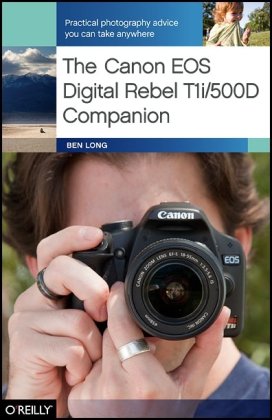
The Canon EOS Digital Rebel T1i 500D Companion 1st Edition by Ben Long 0596803636 9780596803636
Original price was: $50.00.$35.00Current price is: $35.00.
The Canon EOS Digital Rebel T1i 500D Companion 1st Edition by Ben Long – Ebook PDF Instant Download/Delivery: 0596803636, 9780596803636
Full download The Canon EOS Digital Rebel T1i 500D Companion 1st Edition after payment
Product details:
ISBN 10: 0596803636
ISBN 13: 9780596803636
Author: Ben Long
Through easy-to-follow lessons, this handy book offers a complete class on digital photography, tailored specifically for people who use the Canon EOS Digital Rebel T1i/500D. This is not your typical camera guide: rather than just show you what all the buttons do, it teaches you how to use the Digital Rebel’s features to make great photographs — including professional-looking images of people, landscapes, action shots, close-ups, night shots, HD video, and more. With Ben Long’s creative tips and technical advice, you have the perfect, camera-bag-friendly reference that will help you capture stunning pictures anywhere, anytime. The Canon EOS Digital Rebel T1i/500D Companion will show you how to:Take creative control and go beyond automatic settingsLearn the basic rules of compositionCapture decisive moments, including fast-moving objectsDiscover ways to use a flash indoors and outdoorsLearn about different lenses, and the best time to use themUnderstand the options for shooting RAW, and whether it’s right for youUse the Digital Rebel’s ability to shoot high definition video
The Canon EOS Digital Rebel T1i 500D Companion 1st Table of contents:
Chapter 1: Getting to Know the Rebel T1i
Shooting snapshots using auto modes
Resetting the Camera’s Defaults
Snapshot Shooting in Full Auto Mode
Framing Your Shot
Autofocus, or “How to Press the Shutter Button”
Take the Shot
The Viewfinder Status Display
The LCD Status Display
Viewing Your Images
Using Scene Modes
Snapshot Tips
Watch That Headroom: Fill the Frame
Don’t Be Afraid to Get in Close
Remember That Your Knees Can Bend
Lead Your Subject
Watch the Background
Watch Out for Backlighting
Understand Flash Range
Cover Your Shot, or “One Shot Is Rarely Enough”
Chapter 2: Anatomy of the Rebel T1i
learning to hold and control your camera
What Is an SLR Anyway?
Cleaning and Maintenance
The T1i Battery
The Media Card
Body Parts
Camera Top
Camera Front
Camera Sides
Camera Back
Camera Bottom
The Rebel T1i Menu System
Holding the Camera
The Grip
Feet, Elbows, and Neck
The Lens
Understanding Focal Length
Types of Lenses
Lens Controls
Lens Care
Sensor Cleaning
More Full Auto Practice
Work with Fixed Focal Length
Chapter 3: Playing Back Images
Reviewing and analyzing images on your rebel T1i
Image Review
Image Playback
Navigating Images with the Main Dial
Playback Zoom
Exiting Playback
Viewing Image Thumbnails
Viewing Image Info
Image Rotation
Manual Image Rotation
Slideshows in the Field
Erasing Images
Deleting an Image During Image Review
Deleting an Image During Image Playback
Deleting All of the Images on the Card
Protecting Images
Chapter 4: Image Transfer
Copying Images to your computer
Media Cards
One Big Card? Or Lots of Small Ones?
Card Management
Transferring from Your Camera
Installing the Canon Software
Transferring Images to a Windows Computer
Using Adobe Photoshop Elements for Windows
Using Adobe Photoshop
Transferring Images to a Macintosh Computer
Configuring Your Mac for Image Transfer
Transferring Images Using Canon ImageBrowser
Transferring Images Manually Using Windows or the Mac
Using the Camera to Select Images for Transfer
Organizing Your Images
After You’ve Transferred Your Images
Chapter 5: Photography 101
The fundamental theory of exposure
The Rebel T1i Sensor
Over- and Underexposure
Exposure Mechanisms
ISO: The Third Exposure Parameter
Shutter Speed
Aperture
Why There Are Two Ways to Control Light
How Shutter Speed Choice Affects Your Image
How Aperture Choice Affects Your Image
Reciprocity
Bringing ISO into Your Exposure Calculations
Fractional Stops
Thinking Again About Full Auto Mode
Summing Up
Chapter 6: Program Mode
Taking control and understanding more about exposure
Switching to Program Mode
Focusing Revisited
Understanding Focus Points
Focus Modes
AI Servo
AI Focus
What to Do When Autofocus Doesn’t
Manual Focus
Getting Creative with Program Shift
Handheld Shooting and Shutter Speed
Image Stabilization
Changing the ISO
Setting ISO
A Real-World ISO Change
White Balance
Custom White Balance
White Balance Shift
White Balance Bracketing
Drive Mode and the Self-Timer
Using the Self-Timer
Choosing an Image Size and Format
Summing Up Program Mode
Creative Auto Mode
Chapter 7: Advanced Exposure
learning more about the T1i light meter and exposure controls
The Light Meter Revisited
Metering Modes
Exposure Lock
What Your Light Meter Actually Meters
Exposing So That Black Looks Black
Using Exposure Compensation to Over- or Underexpose
Exposure Compensation and Program Shift
Controlling Color Tone with Exposure Compensation
Using the Histogram
Recognizing Over- and Underexposure in the Histogram
Recognizing Contrast in the Histogram
The Three-Channel Histogram
Using Priority Modes to Control Exposure
Aperture Priority
Shutter Priority
Exposure Bracketing
Auto Bracketing
Peripheral Illumination Correction
Scene Modes Revisited
Picture Styles
Selecting a Picture Style
Adjusting Predefined Picture Styles
Creating a Better Exposure with Fill Flash
A Word About Dynamic Range
Which Mode Should You Choose?
Chapter 8: Finding and Composing a Photo
exploring the art of photography
Learning to See Again
Seeing Exercises
How to Make a Photo
Recognizing a Potential Photo
Working Your Subject
Choosing a Camera Position and Focal Length
Composing Your Shot
Art and Craft
Practice
Chapter 9: Specialty Shooting
Using special features for shooting in specific conditions
Using Live View
Activating Live View
Focusing in Live View
Other Live View Options
What You Don’t See in Live View
Shooting Panoramas
Choosing a Focal Length for Panoramas
Panoramic Exposure
Shooting Panoramic Frames
Stitching a Panorama
Low-Light Shooting
When to Use Flash in Low Light
Shooting in Low Light at High ISO
ISO Expansion
Shooting Techniques for Low-Light Situations
Shooting Sports or Stage Performances
Low-Light White Balance
Shooting Video
Video Shooting Tips
Exposure Control for Video
Movie Playback
Chapter 10: Flash Shooting
Using a flash and other tools for better control of the lighting in your scene
Controlling Existing Light
Using the T1i’s On-Camera Flash
Flash Exposure
Red-Eye Reduction
Using an External Flash
Bouncing a Flash
Chapter 11: Raw Shooting
Using raw format to gain more control and better image quality
What Is Raw?
Why Use Raw?
Changing White Balance
Highlight Recovery
More Editing Latitude
A True Digital Negative
Easy Batch Processing
Raw Hassles (the Disadvantages)
Shooting Raw with the Rebel T1i
Picture Styles, White Balance, and Raw
Processing Your Raw Files
Chapter 12: Customizing the T1i
Configuring custom settings and adding lenses and accessories
My Menu
Building My Menu
Organizing My Menu
Make My Menu the Default
Changing Screen Color
Beep and Power-Off
Adding Copyright Information
Custom Functions
Choosing a Lens
Some Lens Suggestions
Evaluating a Lens
People also search for The Canon EOS Digital Rebel T1i 500D Companion 1st:
canon eos rebel t1i eos 500d
canon eos rebel t1i digital camera
canon rebel t1i eos 500d review
canon eos rebel t5i digital camera
canon rebel t1i eos 500d dslr camera
Tags: The Canon, EOS, Digital Rebel, Companion, Ben Long