

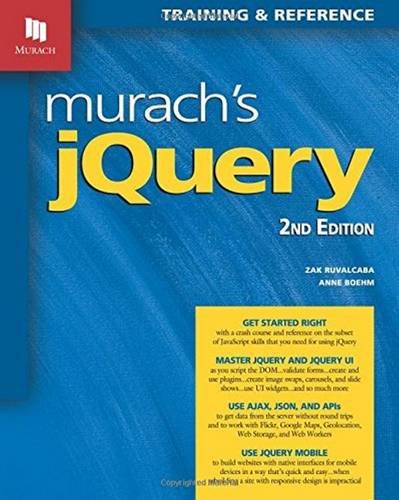
Murach jQuery 2nd Edition by Zak Ruvalcaba ISBN 189077491X 9781890774912

Original price was: $50.00.$35.00Current price is: $35.00.
Murach jQuery 2nd Edition by Zak Ruvalcaba – Ebook PDF Instant Download/Delivery: 189077491X, 9781890774912
Full download Murach jQuery 2nd Edition after payment
Product details:
ISBN 10: 189077491X
ISBN 13: 9781890774912
Author: Zak Ruvalcaba
Murach jQuery 2nd Table of contents:
Section 1 – JavaScript essentials for jQuery users
Chapter 1 – Introduction to web development
How a web application works
The components of a web application
How static web pages are processed
How dynamic web pages are processed
How JavaScript and jQuery are used for client-side processing
The components of a JavaScript application
The HTML
The CSS
The JavaScript
The HTML skills that you need for this book
How to use the HTML5 semantic elements
How to use the div and span elements
How to use the basic HTML attributes
The CSS skills that you need for this book
How to provide the CSS styles for an HTML page
How to code the basic CSS selectors
How to code CSS rule sets
How to test a JavaScript application
How to run a JavaScript application
How to find errors in your code
How to provide cross-browser compatibility
How to use Aptana to develop JavaScript applications
How to create or import a project
How to work with files
How to edit a file
How to run a JavaScript application
Perspective
Chapter 2 – A JavaScript subset for jQuery users
The basics of JavaScript
How to include JavaScript in an HTML document
How to code JavaScript statements
How to create identifiers
How to use primitive data types to work with data
The primitive data types
How to code numeric expressions
How to work with numeric variables
How to work with string and Boolean variables
How to use objects to work with data
How to use objects, methods, and properties
How to use the window and document objects
How to use Textbox and Number objects
How to use Date and String objects
How to code control statements
How to code conditional expressions
How to code if statements
How to code while, do-while, and for loops
How to work with arrays
How to create and use arrays
How to use for loops to work with arrays
How to use functions
How to create and call a function
When and how to use local and global variables
How to attach an event handler to an event
How to use an onload event handler to attach the other event handlers
The Future Value application
The HTML and CSS
The JavaScript
Perspective
Chapter 3 – How to script the DOM with JavaScript
DOM scripting properties and methods
DOM scripting concepts
The properties of the Node interface
The methods of the Document and Element interfaces
The Email List application
The HTML
The JavaScript
The FAQs application
The HTML and CSS
The JavaScript
DOM scripting skills for links and images
How to cancel the default action of an event
How to preload images
The Image Swap application
The HTML and CSS
The JavaScript
How to use timers
How to use a one-time timer
How to use an interval timer
The Slide Show application
The HTML and CSS
The JavaScript
Perspective
Chapter 4 – How to test and debug a JavaScript or jQuery application
An introduction to testing and debugging
Typical test phases for a JavaScript application
The three types of errors that can occur
Common JavaScript errors
How top-down coding and testing can simplify debugging
How to debug with Chrome’s developer tools
How to use Chrome to find errors
How to use breakpoints and step through your code
Other debugging methods
How to debug in Internet Explorer
How to trace the execution of your JavaScript code
How to view the source code
When and how to validate the HTML
Perspective
Section 2 – jQuery essentials
Chapter 5 – Get off to a fast start with jQuery
Introduction to jQuery
What jQuery is
How jQuery can simplify JavaScript development
How jQuery UI and plugins can simplify JavaScript development
The basics of jQuery programming
How to include jQuery in your web pages
How to code jQuery selectors
How to call jQuery methods
How to use jQuery event methods
The Email List application in jQuery
The user interface and HTML
The jQuery
A working subset of selectors, methods, and event methods
The most useful selectors
The most useful methods
The most useful event methods
Other event methods that you should be aware of
Three illustrative applications
The FAQs application in jQuery
The Image Swap application in jQuery
The Image Rollover application in jQuery
Perspective
Chapter 6 – How to use effects and animations
How to use effects
The jQuery methods for effects
The FAQs application with jQuery effects
A Slide Show application with effects
The user interface, HTML, and CSS
Two ways to code the jQuery
How to stop and start a slide show
How to use animation
How to use the basic syntax of the animate method
How to chain animate methods
How to use the delay, stop, and finish methods
How to use easings with effects and animations
How to use the advanced animate syntax and the methods for working with queues
A Carousel application with animation
The user interface, HTML, and CSS
The jQuery
Perspective
Chapter 7 – How to create and use jQuery plugins
Introduction to plugins
How to find jQuery plugins
Some of the most useful plugins
How to use any plugin
How to use three of the most useful plugins
How to use the Lightbox plugin for images
How to use the bxSlider plugin for carousels
How to use the Cycle 2 plugin for slide shows
How to create your own plugins
The structure of a plugin
How to code a plugin that highlights menu items
How to add options to a plugin
A web page that uses two plugins
The user interface
The script elements
The HTML for the elements used by the plugins
The jQuery for using the highlightMenu plugin
Perspective
Chapter 8 – How to work with forms and data validation
Introduction to forms and controls
How forms work
The HTML5 controls for working with forms
The HTML5 and CSS3 features for data validation
How to use jQuery to work with forms
The jQuery selectors and methods for forms
The jQuery event methods for forms
A Validation application that uses JavaScript
The user interface and HTML
Some of the JavaScript for the application
How to use a plugin for data validation
How to use the validation plugin
The options and default error messages for the validation plugin
A Validation application that uses the validation plugin
The user interface
The HTML
The CSS
The jQuery
Perspective
Chapter 9 – How to use the DOM manipulation and traversal methods
The DOM manipulation methods
The methods for working with attributes
The methods for DOM replacement
The methods for DOM insertion and cloning
The methods for DOM wrapping and removal
The TOC application
The user interface and HTML
The jQuery
The methods for working with styles and positioning
The methods for working with styles
The methods for positioning elements
The enhanced TOC application
Two event methods used with DOM manipulation
How to use the on and off event methods
An Employee List application that uses the on method
The HTML for the application
The jQuery for the application
The DOM traversal methods
The tree traversal methods
The filtering methods
A Slide Show application that uses DOM traversal methods
Perspective
Section 3 – jQuery UI essentials
Chapter 10 – Get off to a fast start with jQuery UI themes and widgets
Introduction to jQuery UI
What jQuery UI is and where to get it
The jQuery UI components
How to build and use a jQuery UI download
How to build a download
How to use ThemeRoller to build a custom theme
How to use the downloaded folders and files
How to use jQuery UI widgets
How to use any widget
How to use the Accordion widget
How to use the Tabs widget
How to use the Button and Dialog widgets
How to use the Autocomplete widget
How to use the Datepicker widget
How to use the Slider widget
How to use the Menu widget
A web page that uses jQuery UI
The user interface
The link and script elements
The HTML for the widgets
The jQuery for the widgets
Perspective
Chapter 11 – How to use jQuery UI interactions and effects
How to use interactions
Introduction to interactions
How to use the draggable and droppable interactions
How to use the resizable interaction
How to use the selectable interaction
How to use the sortable interaction
How to use effects
Introduction to effects
How to use individual effects
How to use color transitions
How to use class transitions
How to use visibility transitions
Perspective
Section 4 – Ajax, JSON, and APIs
Chapter 12 – How to use Ajax, JSON, and Flickr
Introduction to Ajax
How Ajax works
Common data formats for Ajax
The members of the XMLHttpRequest object
How to use the XMLHttpRequest object
How to use the jQuery shorthand methods for Ajax
The jQuery shorthand methods for working with Ajax
How to use the load method to load HTML data
How to use the $.get or $.post method to load XML data
How to use the $.getJSON method to load JSON data
How to send data with an Ajax request
How to use the $.ajax method for working with Ajax
The syntax of the $.ajax method
How to use the $.ajax method to load data
How to use Ajax with Flickr
How to use the feed API for Flickr
How to display Flickr data on a page
How to review the feed from a website
How to display descriptions for a Flickr photo feed
How to search for photos by tags
Perspective
Chapter 13 – How to use the API for Google Maps
Introduction to Google Maps
Introduction to the Google Maps API
The classes for adding a Google map to a web page
The script element for the Google Maps API
How to add a Google map to a web page
How to display markers on a map
The classes and methods for geocoding and markers
How to create an address list that displays markers
How to display messages on a map
The classes and methods for messages and markers
How to add messages to markers
How to add custom messages to markers
How to add Flickr images to messages
How to display driving directions on a web page
The classes and methods for directions and listeners
How to display driving directions with a map
Perspective
Chapter 14 – How to use the HTML5 APIs
An introduction to the HTML5 APIs
Common HTML5 APIs
How to get information about an HTML5 API
How to use the Geolocation API
How Geolocation works
How to show a user’s position on a Google map
How to handle Geolocation errors
How to use the Web Storage API
How to use local storage
How to use session storage
How to use the Web Workers APIs
How the Web Workers API works
How to use a web worker to retrieve data using Ajax
An application that uses a web worker and web storage
The user interface
The HTML
The JSON data
The jQuery code
Perspective
Section 5 – jQuery Mobile
Chapter 15 – Get off to a fast start with jQuery Mobile
How to work with mobile devices
How to provide pages for mobile devices
How to use a JavaScript plugin to redirect mobile browsers to a mobile website
How to set the viewport properties
Guidelines for designing mobile web pages
Guidelines for testing mobile web pages
How to get started with jQuery Mobile
What jQuery Mobile is and where to get it
How to include jQuery Mobile in your web pages
How to create one web page with jQuery Mobile
How to code multiple pages in a single HTML file
How to use dialogs and transitions
How to create buttons
How to create a navigation bar
How to format content with jQuery Mobile
How to work with the default styles
How to apply themes to HTML elements
How to use ThemeRoller to roll your own theme
A mobile website for Vecta Corp
The layout of the website
The HTML for the mobile website
The style sheet for the mobile website
Perspective
Chapter 16 – How to enhance a jQuery Mobile website
How to use the jQuery Mobile documentation
The demos for jQuery Mobile
The data attributes of jQuery Mobile
The events, methods, and properties of jQuery Mobile
How to use jQuery Mobile to format content
How to lay out content in grids
How to use collapsible content blocks
How to use collapsible sets
How to use jQuery Mobile for list views
How to use basic lists
How to use split button lists and inset lists
How to use list dividers and count bubbles
How to use jQuery Mobile for forms
How to use text fields and text areas
How to use sliders and switches
How to use radio buttons and check boxes
How to use select menus
How to submit a mobile form
An enhanced mobile website for Vecta Corp
The layout of the website
The HTML
The style sheet
Perspective
Appendix A – How to set up your computer for this book
How to install Aptana Studio 3
On a Windows system
On a Mac OS system
How to install Chrome and Firefox
How to install and use the source code for this book
On a Windows system
On a Mac OS system
Appendix B – A summary of the applications in this book
Appendix C – How to resolve $ conflicts
People also search for Murach jQuery 2nd:
murach’s javascript and jquery
murach javascript and jquery
murach’s javascript and jquery (4th edition)
murach’s javascript and jquery pdf
murach’s javascript and jquery (4th edition) pdf
Tags:
Zak Ruvalcaba,Murach jQuery