

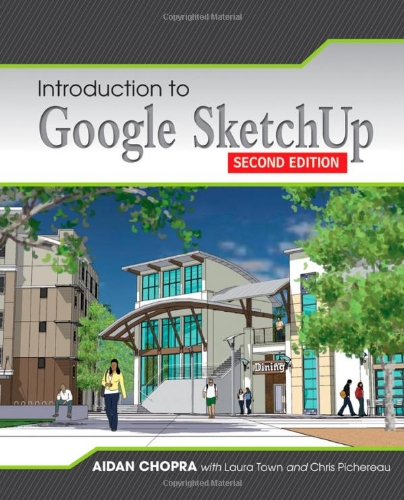
Introduction to Google SketchUp 2nd Edition by Aidan Chopra , Jeremy Fretts ISBN 978-1118077825 1118077822


Original price was: $50.00.$35.00Current price is: $35.00.
Introduction to Google SketchUp 2nd Edition by Aidan Chopra , Jeremy Fretts – Ebook PDF Instant Download/Delivery:978-1118077825 ,1118077822
Full download Introduction to Google SketchUp 2nd Edition after payment
Product details:
ISBN 10:1118077822
ISBN 13: 978-1118077825
Author: Aidan Chopra , Jeremy Fretts
Considerably easier to use than other 3D software, Google SketchUp has found a niche in architecture, landscape design, real estate development, furniture building, and other design professions. This book provides an accessible approach that assumes no previous 3D modeling experience and explains the basic concepts involved in 3D modeling. Introduction to SketchUp shows readers how to build a 3D model, print it, share it, export it to another professional design package, export it to Google Earth, and create a 3D animated tour. It also helps readers harness the power of Google SketchUp so that they can populate Google Earth with 3D buildings, monuments, and other sculptures.
This edition is updated with the latest version of Google SketchUp software, easy-to-read, and practical, this text not only helps you learn how to use Google SketchUp at your own pace; it helps you master the core competencies and skills you need to succeed. Developed with architects, interior designers, landscapers and other design gurus in mind, Google SketchUp is the fast, easy way to build 3D models of anything you wants―buildings, furniture, landscapes, or your own unique creations.
Table of contents:
1. Meeting Google SketchUp: A Brief Overview 1
2. Establishing the Modeling Mindset: Model Basics 19
3. Building Simple Models: Step-by-Step Instructions for Creating a Model of a Doghouse 61
4. Modeling Buildings: From Drafting a Floor Plan to Adding a Roof 81
5. Keeping Your Model’s Appearance: Working with Components 135
6. Creating Everyday Objects: Tools, Techniques, and Tips 175
7. Keeping Your Model Organized: Using the Outliner and Layers 229
8. Modeling with Photographs: Using Photo Match to Build Models 247
9. Changing Your Model’s Appearance: Applying Styles and Shadows 285
10. Presenting Your Model Inside SketchUp: Showing Off Your Model 325
11. Working with Google Earth and the 3D Warehouse: Tying Together All of Google’s 3D Software 359
12. Printing Your Work: With a Windows PC and a Mac 389
13. Exporting Images and Animations: Making Image Files and Movies 409
14. Exporting to CAD, Illustration, and Other Modeling Software: Using SketchUp Pro 433
15. Creating Presentation Documents with LayOut: Presenting 3D SketchUp Pro Models on Paper and on Screen: Working with Templates and Scrapbooks 461
16. Troubleshooting and Using Additional Resources: Fixing Problems and Enhancing Your Model 517 Glossary 537 Index 543 Bonus Chapter. Building Your Own Dynamic Components
People also search for:
introduction to sketchup layout
sketchup intro tutorial
fundamentals of sketchup
google sketchup 2d
Tags: Aidan Chopra, Jeremy Fretts, Introduction to Google