

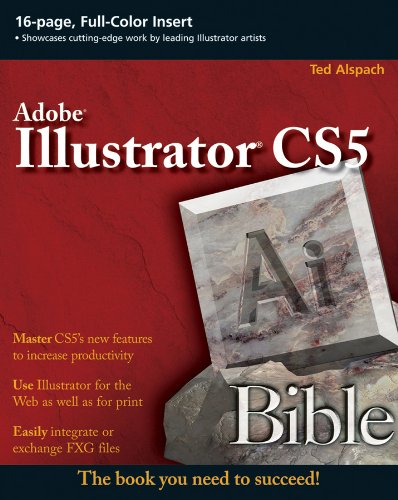
Illustrator CS5 Bible 1st Edition by Ted Alspach ISBN 978-0470584750 0470584750

Original price was: $50.00.$35.00Current price is: $35.00.
Illustrator CS5 Bible 1st Edition by Ted Alspach – Ebook PDF Instant Download/Delivery: 978-0470584750, 0470584750
Full download Illustrator CS5 Bible 1st Edition after payment
Product details:
ISBN 10: 0470584750
ISBN 13: 978-0470584750
Author: Ted Alspach
A former Group Product Manager for Illustrator takes you on a detailed tour of the new version of Illustrator
Adobe Illustrator allows you to create sophisticated artwork for nearly any medium and the newest release boasts enhancements aimed at helping you save time and work more efficiently and intuitively. Written by veteran author Ted Alspach, this authoritative resource dissects Illustrator CS5 so you can harness the power it has to offer. You’ll begin with a review of Illustrator basics and quickly ramp up to more advanced topics, such as working in 3D, using filters, distorting artwork, applying strokes, and more.
Former Adobe insider Ted Alspach breaks down the powerful program of Illustrator and explores the new features and functions included in the latest version
Begins with the basics of Illustrator, such as working with the interface and creating Illustrator documents
Shows you how to manipulate type, distort artwork, and apply strokes and fills
Explains transparency, working in 3D, using styles and effects, applying filters, and more
Illustrator has amazing potential that can sometimes be daunting, but with Illustrator CS5 Bible by your side, you’ll learn to put the capabilities of Illustrator to work for you.
Table of contents:
Part 1: Illustrator Basics
Chapter 1: What’s New in Illustrator CS5?
Enhanced Strokes and Brushes
Path Join Enhancement
Select Behind Downgrade.
Drawing Modes
Perspective Grid..
The Artboards Panel.
Artboard Rulers…
Gradient Mesh Point Transparency
Shape Builder Tool.
Symbol Enhancements.
Flash XMI. Graphics.
Align to Pixel Grid
Resolution-Independent Effects..
Summary
Chapter 2: Understanding Illustrator’s Desktop
Picasso Meets Illustrator: Getting Started
Getting started with Illustrator
Quitting Illustrator.
Working with Illustrator’s Interface.
Working in the document window
Working with the Tools panel.
Viewing the tool tips
Using the panels
Using Illustrator’s menus..
Using the status bar.
Navigating Around Your Document
Understanding the Zoom tool.
Using the Zoom tool…
Other zooming, techniques.
Zooming with the Navigator panel.
Using the scroll bars to view your document.
Scrolling with the Hand tool
Scrolling with the Navigator panel.
Opening a new window
Using Illustrator’s Modes…
Working in Outline mode versus Preview mode
Understanding Overprint Preview mode
Understanding Pixel Preview mode
Using and creating custom views.
Using screen modes..
Using the Edit Commands.
Using the Clear command.
Cutting, copying, and pasting.
Undoing and redoing.
Summary
Chapter 3: Working with Illustrator Documents.
Setting Up a New Document..
Modifying the Setup of a Document.
Adjusting the Bleed and View Options
Working with Transparency options.
Changing Type Options
Artboards….
Choosing the artboard measurement units
Working with the Artboards panel
The Artboard tool.
Changing the artboard size using the Control panel.
Openingand Closing Illustrator Files…..
Saving Files..
Using the Save As command
Understanding the Save a Copy command.
Reverting to the last saved version.
Saving for Web & Devices option
Understanding file types and options
Using Illustrator’s compatibility options.
Savingas Illustrator EPS
Saving files as Adobe PDF
Saving files in SVG.
Using the Export Command
Placing Art
People also search for:
cs5 illustrator
csb illustrated study bible
cs bible
biblical illustrator pdf
biblical illustrator free download
illustrator cs5 tutorials for beginners
Tags: Ted Alspach, Illustrator CS5 Bible